Nothing Runs When You Ask For A Page
This week the PHP project shipped fixes for PHP2Shell, and its advisory said the attack can fire “before any application code runs”1. I wrote about what that means for PHP in PHP: Twenty-Nine Years Of Leaving The Door Open. This post is about the other half of the answer. What if nothing runs at all?
That is how this blog works. When you asked for this page, no program of mine started up, read a database, checked a login or built any HTML. A file that already existed was sent back. That is all.
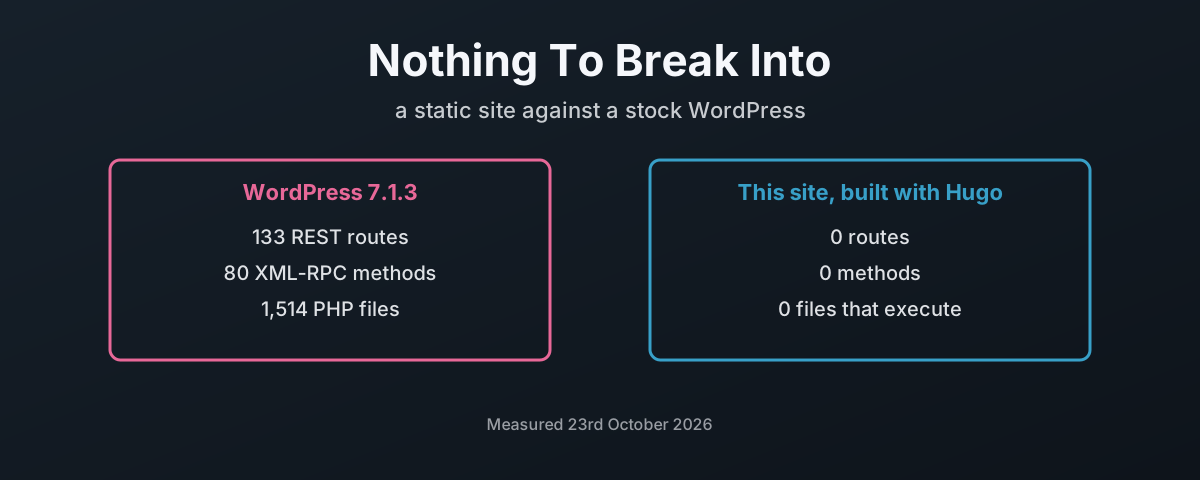
Here is what that difference looks like, measured on the same day, against a stock WordPress installed fresh in a lab and against this site as it is live now:
| Stock WordPress 7.1.3 | This site | |
|---|---|---|
| REST API routes | 133 | 0 |
| REST routes that accept writes | 62 | 0 |
| XML-RPC methods | 80 | 0 |
| Files that execute on the server | 1,514 PHP | 0 |
| Files writable by the user serving the site | 3,785 of 3,785 | none: nothing runs to write |
| Database | 12 tables, app account with every privilege | none |
| Login page | wp-login.php, live | none; the path returns 404 |
| A POST, PUT or DELETE to the home page | PHP runs and renders the page anyway | refused at the edge with 405; nothing runs |
None of those zeroes is a setting I switched off. They are zeroes because the thing they count does not exist here. You cannot attack a login page that was never built.
What A Stock WordPress Puts On The Internet
I did not want to argue this from memory, so I measured it. The official wordpress and mariadb container images, run in podman on my own machine and bound to localhost, installed with nothing added: no plugins beyond what ships, the default theme, one administrator. WordPress 7.1.3 on PHP 8.3.36. Then I counted what it answers.
The REST API is the biggest single surface. Five namespaces, 133 routes, 257 route and method pairs, and 62 routes that accept a write of some kind. It shipped in core with WordPress 4.7, “with REST API endpoints for posts, comments, terms, users, meta, and settings”2. And you are told not to turn it off: “You should not disable the REST API; doing so will break WordPress Admin functionality that depends on the API being active.”3 So it stays on.
| What is exposed by default | What WordPress’s own documentation says |
|---|---|
| XML-RPC, 80 methods | on by default since 3.5: “Enable XML-RPC by default, remove Writing Settings option”4 |
| the REST API, 133 routes | “content that is public on your site is generally publicly accessible via the REST API”5 |
| the users list | GET /wp/v2/users returns each author’s display name, slug, link and avatar in its default view6 |
wp-login.php and xmlrpc.php | “xmlrpc.php is a frequent brute‑force target”; “Apply rate limits to /wp-login.php and /xmlrpc.php globally.”7 |
wp-cron.php | “WP-Cron works by checking, on every page load, a list of scheduled tasks to see what needs to be run.”8 |
| the theme and plugin editor | “This is often the first tool an attacker will use if able to login, since it allows code execution.”9 |
The users list is worth a second look. In my lab, an anonymous request to that endpoint returned the one administrator account, by display name and slug. Somebody who has never logged in learns who the site’s accounts are before they have tried anything, on a fresh install, by design. Nobody had to misconfigure it.
Then the files. The official image runs Apache as www-data, and www-data owns the whole web root. All 3,785 files, the 1,514 PHP files among them, are writable by the same user that runs the code. Every file. The code included. wp-config.php, with the database password in it, sits in the web root at mode 644. The database account WordPress uses holds ALL PRIVILEGES on its database.
That is the one-process model from the PHP post, live and unmodified, from the official image. It is not a badly run site. It is the starting point every WordPress site begins from, before the first plugin goes in.
And plugins are where most of it comes from. Patchstack counted 11,334 new vulnerabilities in the WordPress ecosystem in 2025. “91% of new vulnerabilities were found in plugins, and 9% were found in themes. There were only 6 vulnerabilities reported in the WordPress core.”10 Nearly half had no fix by the time they were made public, and the median time to mass exploitation for the ones attackers wanted was five hours10.
What This Site Puts On The Internet
This blog is 6,343 files. Here is all of it, by kind:
| Kind of file | Count | What it is |
|---|---|---|
.html | 3,486 | the pages, in five languages |
.xml | 1,576 | RSS feeds and sitemaps |
.svg | 1,181 | diagrams, covers, icons |
.png | 46 | screenshots |
.json | 10 | the search index and build stamps |
.js | 4 | small scripts that run in your browser, not on the server |
.css, fonts and the rest | 40 | styling, and files attached to posts |
| Executed on the server | 0 |
There are a few .py and .sh files in there. They are scripts attached to posts for readers to download, and the server sends them as text. Nothing on the server runs them. There is nowt on the server to run them with.
It is deployed to Cloudflare as static assets with no Worker script at all. The deploy configuration has no entry point, and Cloudflare’s documentation says what that means: “The main key is optional for assets-only Workers.”11 When a requested path matches a file, “that file will be served” without invoking Worker code, and “If no Worker script is present, a 404 Not Found response is returned.”12 It costs nothing either: “Requests to static assets are free and unlimited.”13
Cloudflare is a choice, not a requirement. The output is a folder of files, and any HTTPS server that can send a file can serve it: nginx, Caddy, an Apache serving nothing but static files, or an object storage bucket behind a CDN. The links are relative, so the same build serves unchanged from a domain root or from a subdirectory; that was checked by serving the built site under /preview/ and confirming all 592 local references on six pages resolved. Moving host is copying a folder. The one Cloudflare-specific piece is the _headers file; anywhere else, the same headers go in the server’s own configuration. What carries over is the property that matters. Whatever serves it only has to send files, so it never has to run your code.
So the live site answers like this:
$ for m in POST PUT DELETE; do curl -s -o /dev/null -w "$m %{http_code}\n" -X $m https://blogs.damiendye.uk/en/; done
POST 405
PUT 405
DELETE 405

$ for p in wp-login.php xmlrpc.php wp-admin/ wp-json/; do curl -s -o /dev/null -w "%{http_code} $p\n" https://blogs.damiendye.uk/$p; done
404 wp-login.php
404 xmlrpc.php
404 wp-admin/
404 wp-json/
Nothing answers. That is the design.
The security headers go out with every file from a plain text _headers file in the repository, which Cloudflare reads at deploy14. The Content Security Policy locks every script, style, image, font and connection to this one origin. I will be straight about the gap in it: script-src and style-src still carry 'unsafe-inline', because the theme writes a few small scripts into the page. It is the outstanding job on that file, and it is written down in the repository as exactly that.
And publishing does not need a door. On WordPress, publishing is a write over HTTP: the editor, the REST API and XML-RPC exist because that is how posts get onto the server, and every one of them is a path in. Here, I write a post as a text file and push it to a Git repository, and the build uploads finished files through Cloudflare’s deploy API. Nothing that serves the site accepts a write from the web, because nothing needs to. The repository is private, too. Ask GitHub for it without my credentials and the answer is a 404, so the source, the drafts and the history are not on the internet either.
Attack Surface Is A Count, Not A Feeling
OWASP defines the attack surface as “the sum of all paths for data/commands into and out of the application, and the code that protects these paths”15, and says the way to shrink it is “turning off features and interfaces that aren’t being used”15. The UK’s National Cyber Security Centre puts it more bluntly: “If would-be attackers can’t reach an interface, they can’t attack it.”16 Its Cyber Essentials scheme makes it a requirement: “remove or disable unnecessary software (including applications, system utilities and network services)”17.
So count the paths, by what they are rather than by how many:
| Path in or out | WordPress | Static site |
|---|---|---|
| login and password guessing | wp-login.php, XML-RPC | none |
| admin interface | /wp-admin/, with a code editor | none |
| programmable API | REST and XML-RPC, with writes | none |
| server-side code per request | core, theme, every plugin | none |
| database | yes, reachable from all of the above | none |
| writable storage on the server | uploads, and in the stock image, everything | none |
| scheduled jobs triggered by visitors | wp-cron.php on page load | none |
| third-party code you must keep patched | every plugin and theme, on the server | the build tools, off the server |
| what a stolen session gets an attacker | the site | nothing to log in to |
Nine rows. Not one of them runs code on the server. Every one of them for the same reason. The work was done before anyone asked for a page.
That last-but-one row is the honest catch, and the rest of this post is about it. A static site still runs code. It just runs it somewhere else, once, before publishing.
How Hugo Keeps The Build Honest
Hugo is “a static site generator written in Go”18, so the program doing the building is itself memory safe and compiled, which matters after the PHP post. Its security page draws the line exactly where this post does: the output “runs directly in the browser”, but “during development and site building, the hugo executable itself is the runtime environment.”19 And on serving, plainly: “We have no online production server”19. Good.
Within the build, it is locked down by default. “Hugo’s built-in security policy, which restricts access to os/exec, remote communication, and similar operations, is configured via allowlists. By default, access is restricted.”20
| Hugo’s default | What it stops |
|---|---|
| “No arbitrary commands”19 | a template cannot shell out to the machine |
exec.allow limited to Sass, Go, Git, Node and PostCSS20 | only named tools, with fixed flags |
funcs.getenv limited to ^HUGO_ and ^CI$20 | templates cannot read your secrets from the environment |
| remote fetches refuse IP-address and localhost hosts20 | a template cannot reach into your own network |
modules checked against go.sum19 | a tampered dependency fails the build |
This site widens one of those on purpose. It adds the CI commit variables to funcs.getenv, so the build stamp at /en/version.json can record which commit built the live site. That is a choice made and written down, which is the point of an allowlist. As such, it is not a hole. It is a decision.
Where The Risk Moves: The Build
Take the server out and the risk does not vanish. It moves to whatever builds the files. The SLSA framework names the two threats exactly: a “build integrity threat”, where an adversary introduces “behavior to an artifact without changing its source code”, and a “dependency threat”, by “compromising some other artifact that the former depends on at build time”21.
This site is in the middle row, and I am not going to pretend otherwise. It builds in Cloudflare’s build container on every push to the repository. That container is not the server that answers you, and it is gone when the build finishes. But for the length of the build, it is trusted with everything that ends up on the site.
And the build had two gaps, both of which I found writing this post. One is fixed. One is a choice.
| Gap | Why it matters | Status |
|---|---|---|
| the Hugo binary was taken on trust: the script’s own download had no checksum check, and in CI it skipped the download anyway and used the copy Cloudflare’s build image had installed | a swapped binary would build whatever it liked | fixed, 23rd October 2026: the build always downloads Hugo itself, checks it against the release’s published SHA-25622, and refuses to build on a mismatch |
the theme tracks its upstream master branch on every build | a change upstream can alter the live site with no commit here | open, by choice; the fix is to pin it to a commit, or move it to a Hugo module covered by go.sum19 |
The first is the kind of thing you only find by reading your own build script line by line. The script did check the version. But a version string is something a binary says about itself. It proves nothing about the bytes. Now the bytes are checked:
Fetching Hugo Extended 0.167.0...
Hugo verified: sha256 0163f5c3deddac1f494a1629ddc40c65d18de9d5794facd98f7f96ac2c7d8957
And a copy of the same tarball with one byte added is refused:
Refusing to build: hugo_extended_0.167.0_linux-amd64.tar.gz does not match the release checksum
  expected 0163f5c3deddac1f494a1629ddc40c65d18de9d5794facd98f7f96ac2c7d8957
  got      92682d765d9d34bc53d6f818d56e598d34b5b8267a1cc3b9971da0f53c792251
The theme is a deliberate trade, currency over reproducibility, and it is written down as one. But it is exactly the dependency threat SLSA describes, and the honest thing is to say so. Neither gap ever exposed the live site to a visitor. Both were trust placed in the build, and I would rather list them than have a reader find them.
Even the checksum has a limit. It proves the file you downloaded is the file on the release page. It does not prove who put it there: there are no signatures among the release’s files22. That is integrity, not authenticity, and it is the most the project offers today.
Building It Offline, Once
The strictest version takes the build off anybody else’s machine. Build on a machine you own and control, check what you built, and upload only the finished files. Nothing on the internet ever runs your build, and the host never sees anything but output.
| Step | Why |
|---|---|
| install the exact Hugo release and check it against the published SHA-256 | you know which binary built your site |
pin the theme and any modules to commits, and commit go.sum | the build only changes when you change it |
build into a clean output directory, with no --buildDrafts | what you publish is what you meant to publish |
| look for anything executable in the output before it leaves | a static site should contain nothing the server would run |
| upload the output directory only, with a deploy-only credential | the host never holds your source, your tools or your history |
| serve it from a host that runs no code for static files | there is nothing left to patch at serve time |
That is a few commands, not a project. And it changes where an attacker has to be to hurt you. To change a WordPress site, they need one request to the server. To change this kind of site, they need your build machine. That is a much smaller target, and it is one you can unplug.
Ten Thousand Pages, Measured
Attack surface is one cost of running code on every request. The electricity is another, and so is the disk. So I put both under the same load: 10,000 requests for the home page, ten at a time, from the same laptop, over plain HTTP on localhost so neither side paid for TLS. The stock WordPress from the lab on one side. On the other, this site’s real built files served by nginx in a container, because Cloudflare’s edge is not something I can put a meter on. I read the CPU time each container used from its cgroup before and after each run, three runs each.
| 10,000 page requests | Stock WordPress 7.1.3 | This site on nginx |
|---|---|---|
| CPU time, three runs | 409 s, 530 s, 575 s | 0.15 s, 0.18 s, 0.19 s |
| CPU time per page | 41 to 57 ms | 15 to 19 µs |
| Pages per second | 168 to 236 | 23,679 to 28,044 |
| Memory under load | 302 to 310 MiB, plus 145 MiB for the database | 15 MiB |
| Failed requests | 0 | 0 |
That is two to three and a half thousand times the processor time for the same ten thousand pages. Every one of those CPU-seconds was drawn from the wall and turned into heat. The static side served all 10,000 in roughly the processor time WordPress spent on three or four of its pages.
The disk tells the same story:
| On disk and in memory | Stock WordPress | This site |
|---|---|---|
| Container images to run it | 803 MB WordPress, 334 MB MariaDB | 166 MB nginx, or nothing at all on Cloudflare |
| The site itself | 115 MB of web root, for an empty site | 114 MB, five languages, every post and diagram |
| Database | 163 MB of files holding 0.72 MB of data | none |
| Memory sitting idle | 170 MiB, plus 139 MiB for the database | 13 MiB |
The WordPress figures are a fresh install with one sample post. The static figures are this entire blog.
To be fair to WordPress, a full-page cache plugin would close much of the CPU gap. But look at what that fix is. It is a static copy of each page, put in front of the PHP so the PHP does not run. The cure is the thing this post is arguing for, bolted onto the side of the thing it is arguing against, with the login page, the API and the database all still there behind it.
What You Give Up
The honest list, because a static site is not the right tool for everything:
| You give up | What this site does instead |
|---|---|
| comments | none; readers can email |
| server-side search | a JSON index built with the site, searched in your browser |
| forms that post to the server | none |
| logins and members’ areas | none; everything here is public |
| editing in a browser | posts are text files in a git repository |
| instant publishing without a build | a build takes a minute or two |
If you need a shop, a members’ area or user accounts, you need something running on a server, and this post is not telling you otherwise. What it is telling you is that a blog, a brochure site or a set of documentation does not need any of that. Most WordPress sites are one of those three. Be honest about which yours is.
Build It Once And Serve It Dead
What gets me is how much risk gets carried for no reason at all. A company page that changes twice a year, running a database, a login page, an API with 62 writable routes and a scheduled-job runner that fires every time someone visits. All of it there to produce the same HTML it produced yesterday. Every day.
That is not a technical decision. It is a habit, and it is a habit somebody bills for. Hosting, plugins, security add-ons, the clean-up when it goes wrong. What it is priced at is a managed WordPress plan. What it costs is every one of those paths kept open, and patched, and watched, for content that could have been a folder of files.
The standard I hold this site to is simple. Nothing runs that does not need to. Every gap is written down where the next person will find it, including the two in the build, and one of those is already closed. That is not about being clever. A standard is the thing you keep when nobody is checking, and nobody checks a blog until the day it starts serving somebody else’s code.
So build it once, check what you built, and serve it dead. Whatever is left to attack is on your machine, where it belongs.
PHP — News archive 2026, 21st October — “We consider the risk highest for mod_php, with a demonstrated exploit where an unauthenticated request can trigger the attack before any application code runs”. ↩︎
WordPress 4.7 release notes — “WordPress 4.7 comes with REST API endpoints for posts, comments, terms, users, meta, and settings.” ↩︎
WordPress REST API Handbook — Frequently Asked Questions — “You should not disable the REST API; doing so will break WordPress Admin functionality that depends on the API being active.” ↩︎
WordPress 3.5 release notes — “Enable XML-RPC by default, remove Writing Settings option”. ↩︎
WordPress REST API Handbook — “content that is public on your site is generally publicly accessible via the REST API”. ↩︎
WordPress REST API reference — Users —
GET /wp/v2/users, context default “view”; name, slug, link, avatar_urls in view context. ↩︎WordPress — Brute force attacks — “xmlrpc.php is a frequent brute‑force target”; “Apply rate limits to /wp-login.php and /xmlrpc.php globally.” ↩︎
WordPress Plugin Handbook — Cron — “WP-Cron works by checking, on every page load, a list of scheduled tasks to see what needs to be run.” ↩︎
WordPress — Hardening WordPress — the Dashboard editor “is often the first tool an attacker will use if able to login, since it allows code execution.” ↩︎
Patchstack — State of WordPress Security in 2026 — 2025 data: 11,334 new vulnerabilities; 91% plugins, 9% themes, 6 in core; 46% not fixed in time for disclosure; median 5 hours to mass exploitation. ↩︎ ↩︎
Cloudflare — Wrangler configuration — “The main key is optional for assets-only Workers.” ↩︎
Cloudflare — Workers static assets — a matching file “will be served” without invoking Worker code; “If no Worker script is present, a 404 Not Found response is returned.” ↩︎
Cloudflare — Static assets billing and limitations — “Requests to static assets are free and unlimited.” ↩︎
Cloudflare — Static assets headers — headers set by “a plain text file called _headers”. ↩︎
OWASP — Attack Surface Analysis Cheat Sheet — “the sum of all paths for data/commands into and out of the application, and the code that protects these paths”; reduce it by “turning off features and interfaces that aren’t being used”. ↩︎ ↩︎
NCSC — Making compromise difficult, 2.2 Reduce attack surface — “If would-be attackers can’t reach an interface, they can’t attack it.” ↩︎
NCSC — Cyber Essentials: Requirements for IT infrastructure v3.2 — “remove or disable unnecessary software (including applications, system utilities and network services)”. ↩︎
Hugo — Introduction — “Hugo is a static site generator written in Go, optimized for speed and designed for flexibility.” ↩︎
Hugo — Security model — “during development and site building, the hugo executable itself is the runtime environment”; “We have no online production server”; “No arbitrary commands”; a go.sum checksum mismatch fails the build. ↩︎ ↩︎ ↩︎ ↩︎ ↩︎
Hugo — Configure security — “By default, access is restricted”; default exec, getenv and http allowlists. ↩︎ ↩︎ ↩︎ ↩︎
SLSA v1.2 — Threats — build integrity threat: “behavior to an artifact without changing its source code”; dependency threat: “compromising some other artifact that the former depends on at build time”. ↩︎
Hugo v0.167.0 release — 36 assets including
hugo_0.167.0_checksums.txt(SHA-256); no signature, SBOM or attestation files. ↩︎ ↩︎