One Console, Many Customers
If you look after Proxmox for other people, every new node is the same job done slightly differently. Each customer has its own country, time zone, root keys, disk layout, host naming and subscription key. Get one of those wrong on a fresh node and you find out the first time somebody logs in, or the first time an audit asks why the clock is an hour out.
I built this for a customer with exactly that problem, and what they asked for was refreshingly plain. Every site builds with its own naming, its own root password and its own SSH keys. Nobody at the site does anything clever: they rack a server, plug it into the right VLAN and power it on. Nobody collects serial numbers, and nobody writes an answer file per machine. And a server added that way ends up in the site’s existing cluster.
| What they wanted | What delivers it here |
|---|---|
| the site’s own naming, password and keys | one prepared answer per site, picked by that site’s token |
| plug into the right VLAN, power on, walk away | DNS discovery, iPXE, and Caddy choosing the token from the source subnet |
| no serials, no per-machine answer files | answers filter on the product only; the site comes from the network |
| the new server joins the existing cluster | not in this post: PDM has no first-boot hook, see below |
This post covers the first three: getting a bare server from power-on to an installed Proxmox node with the right site’s settings. That half is the one that comes up for nearly anybody with more than one site, MSP or not, so it is worth having on its own. Joining the cluster is a separate job, and the section on the missing first-boot hook explains why PDM cannot do it for you yet.
Proxmox Datacenter Manager (PDM) 1.1 added the piece that was missing1. It can now act as the answer server for the Proxmox automated installer, so a bare machine boots, posts what it is, gets a prepared answer back and installs itself with nobody at the console. For a managed service provider (MSP) that already runs PDM as its management console, that is the obvious place to keep every customer’s install settings.
What you do not want is a PXE server per customer. Every one of them is a Trivial File Transfer Protocol (TFTP) server, a DHCP config, a set of boot files and an ISO to rebuild each time Proxmox ships a point release. Ten customers is ten of those to keep current. That does not scale. The aim here is one PXE estate, one boot image, one DNS record and one PDM, with each site still getting its own answer.
PDM 1.1 gets most of the way there on its own. It falls short in two places, and both are worth knowing before you plan a rollout around it: it has no way to match an answer to a site, and it has no way to give a new node a first-boot script. This post proves both from PDM’s own source, works round the first, and builds the whole thing on my lab PDM running 1.1.9, with the proxy hardened so the parts that hold secrets stay shut.
What PDM 1.1 Gives You
The feature lives under Remotes → Automated Installations and has three parts: installations, prepared answers and authentication tokens2.
A prepared answer is PDM’s version of the installer’s answer.toml, filled in through a form rather than written by hand.
| Part | What it does | Detail that matters |
|---|---|---|
| Prepared answers | country, keyboard, time zone, root password hash, SSH keys, network, disk layout, subscription key, post-install action | rendered fresh for every request |
| Target filters | decide which machine gets which answer | JSON Pointer into the installer’s system information, glob for the value3 |
| Templating | MiniJinja in the FQDN, admin email, IP, gateway and DNS fields | counters such as installation_nr go up every time an answer is served4 |
| Authentication tokens | the installer sends Authorization: Bearer <name>:<secret> | a separate token type from PDM’s API tokens; each answer lists the tokens it accepts2 |
| Installations | one record per request, with the full system information | moves from in progress to finished when the post-install webhook calls back |
| Permissions | Sys.Audit to look, Sys.Modify to change | both on /system/auto-installation4 |
The installer side has been there a while.
The proxmox-auto-install-assistant prepare-iso command builds an ISO that fetches its answer over HTTP, and since the Proxmox VE 9.2 ISO it can also produce the kernel, initrd, ISO and boot.ipxe that iPXE needs to boot the whole thing over the network5.
The counters are the part a standalone answer.toml has nothing like.
One prepared answer numbers every host it builds, where a static file would want copying per machine.
That is a real step on, and it is still a first pass.
The form is not yet at parity with the standalone answer file6, and one area is missing completely: there is no first-boot script in 1.1, in any form7.
That gap, and the site it cannot match on, are the next two sections.
It Cannot Match on the Site
PDM picks an answer by comparing filters against the system information the installer posts. So the question is what is in that document, because anything not in it cannot be matched.
| Key | What it holds | Could it name the site? |
|---|---|---|
product | fullname, product (pve, pbs, pmg), enable_btrfs | no |
iso | release, isorelease | no |
dmi | system, baseboard and chassis: name, serial, UUID, SKU, asset tag | only if somebody wrote the site into the asset tag |
network_interfaces | a list of {link, mac} | only through an inventory you keep yourself |
That is the whole of it8,9. There is no address, no hostname, no DHCP option, nothing about where the box is plugged in.
The Desktop Management Interface (DMI) fields look promising until you read real ones.
Every one of my lab installs came back with the system name Standard PC (Q35 + ICH9, 2009) and an empty serial and asset tag.
Real servers fill them in, but with what the vendor put there and not with your customer’s name, and matching on serials or MAC addresses only works if you keep a list of every chassis you will ever install, which is exactly the bookkeeping this was supposed to remove.
Per host, yes. Per site, no.
So which network is the box plugged into? PDM never finds out. The installer has its DHCP lease in hand when it posts, and the one fact an MSP knows for certain about a new node is the one it leaves behind. Matching on the source address, IPv4 or IPv6, is an open feature request, and I raised it myself as bug 826310.
There is a second limit hiding in the selection rules, and my lab walked straight into it.
The token is checked first, and only answers authorised on that token are considered at all, including the default4.
PDM allows exactly one default answer across the whole system.
So you cannot give each site a fallback of its own with the default flag.
My lab had a default answer called fallback on its own token, and it has never been served once, because nothing ever sends that token.
Each site needs a catch-all filter on its own token instead, such as /product/product=*, placed last in the file.
Two more things from the same code are worth having in your head when you debug:
- First match wins, in file order, and a second match only logs a warning. That has been the rule since 1.1.111.
- A filter only matches strings.
/product/enable_btrfsis a boolean and never matches anything, and an array needs an index, as in/network_interfaces/0/mac.
On 1.1.9 an unknown or expired token gets a 401 after a deliberate delay of about half a second and leaves no record.
A good token with nothing matching gets a 400 with the body no answer file found, and that attempt is recorded, with the full system information.
That record is the quickest way to read a new chassis’s real serials and MAC addresses before you write a filter for it.
It Cannot Run a First-Boot Script
The installer itself supports a first-boot hook.
An answer can carry a [first-boot] section with source = "from-iso" or "from-url", an ordering of before-network, network-online or fully-up, and an optional certificate fingerprint9.
prepare-iso --on-first-boot embeds a script in the ISO for the from-iso case.
PDM never sends that section.
Not once.
The installer’s own answer type has the field, first_boot: Option<FirstBootHookInfo>12.
PDM’s prepared answer has no field for it at all, and the code that builds the answer from it writes first_boot: None unconditionally4.
There is nothing in the form, nothing in the API, and nothing in the config file you could add by hand.
It is an open feature request, bug 7699, filed in June 2026 and still unassigned when this was written7.
Nearly five months on it has had no reply from Proxmox, and neither has 8263.
That silence is the concerning part. Somebody who took the time to write up how your product could be better is owed an answer, even if the answer is no, and that is ordinary professional courtesy.
All the more so when the people writing in are paying customers and partners, who are already putting money into the product before they put their time into it as well.
And the script on the ISO does not rescue you.
The installer only sets up the first-boot service if let Some(first_boot) = &answer.first_boot, and that is the only path that ever reads the embedded file13.
prepare-iso gives no warning when you embed a script that no answer will ever ask for.
It sits on the ISO and does nothing.
That matters more for an MSP than for anyone else.
A node from the installer is a bare system with a hashed root password and some SSH keys.
It is not a PDM remote, it is not in a cluster, and it has none of your monitoring, repositories or storage on it.
In my lab the three nodes all finished and called home, and the SITEA remote in PDM still had to be added by hand afterwards.
So whatever you use to finish a node, whether that is Ansible or something else, it has to be triggered from outside: from the post-installation webhook, from a job that watches the Installations list, or from a person. I am leaving it there. This post is about getting one PXE estate to serve every site, and the first-boot gap is a limit to plan around, not one I am going to paper over here.
The Token Is the Site
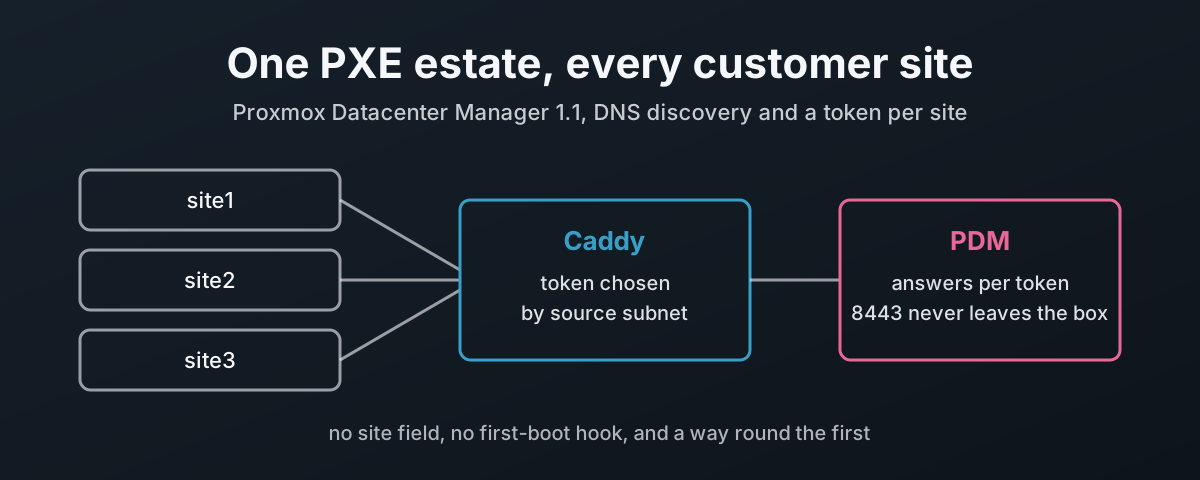
PDM cannot see the site, but it does scope answers by token, and a token is just a header. Whoever sets the header chooses which set of answers the installer can get. That is the whole trick.
So put something in front of PDM that knows where the request came from:
- The boot image carries a catch token,
catch-all:not-a-secret, which is the same in every image and is published right here. It is not a PDM token and opens nothing on its own. - A Caddy reverse proxy in front of PDM looks at the source subnet of an answer request that carries the catch token, and replaces the header with that site’s real token.
- PDM sees
site2-2026q4:<secret>and only offers site2’s answers.
The secret never goes near the boot image, so a lost USB stick or a copied ISO gives nobody anything. Rotating a site’s token is a change to Caddy, not an image rebuild. And adding a site is one line of Caddy config and one new token in PDM.
This leans on the source address being honest, which is a property of your network, not of the proxy. That trade-off and the others are set out under “What Is Left to Decide” below.
How the Installer Finds PDM Without a Baked-In URL
One image for every site only works if the image does not carry PDM’s address either. The installer looks for its answer URL in three places, in order14:
| Rule | What the code does | What it means for you |
|---|---|---|
| Order | a URL in the ISO wins; otherwise DHCP; any DHCP failure falls back to DNS14 | build the image without --url, and send no option 250 anywhere |
| Record names | proxmox-auto-installer.<search domain> for the URL, proxmox-auto-installer-cert-fingerprint.<search domain> for the fingerprint | one zone, two TXT records |
| Search domain | the first search line of /etc/resolv.conf, split on a single space | hand out exactly one domain; two become one invalid name |
| No domain | fails with Could not find search domain in resolv.conf. | check DHCP option 15 or 119 is being sent |
| TXT value | dig txt +short, every " removed, then trimmed | a TXT value split into several strings leaves a space in the URL; keep it one string |
| Fingerprint | taken from DNS only when the URL also came from DNS and none is baked in | publish PDM’s certificate fingerprint, which Caddy also serves |
| Token | sent as Authorization: Bearer <token>, stored in plain text on the ISO9 | which is why the image only carries the catch token |
The certificate the installer checks is whichever one answers on 443. In this design Caddy serves PDM’s own certificate there, so a client sees the same certificate on 443 as PDM has on 8443, and there is one fingerprint to publish.
Building It: PDM, Boot Files and DNS
The examples use the domain example.doc and three sites, 10.10.50.0/24, 10.20.50.0/24 and 10.30.50.0/24.
.doc is not a real top-level domain, so substitute your own.
PDM, Caddy, dnsmasq and the boot files all live on one host, pdm.example.doc at 10.10.50.10, and the remote sites reach it through a DHCP relay on their gateways.
Management lives on 10.99.0.0/24 and, as such, is the only network that ever sees PDM’s web UI.
Tokens and answers in PDM
Under Remotes → Automated Installations → Authentication Tokens, add one token per site and give it an expiry that matches your rollout window.
The name is not secret, and you will see it in logs, so make it say something: site1-2026q4.
Copy the secret when it is shown.
Then add a prepared answer per site per product, authorised on that site’s token only:
| Field | site1, Proxmox VE |
|---|---|
| Authorised token | site1-2026q4 |
| Target filter | /product/product=pve |
| Country, keyboard, time zone | gb, en-gb, Europe/London |
| Root access | SSH keys, plus a password set through the form, which PDM stores and sends only as a hash4 |
| Network | DHCP, interface names pinned |
| FQDN | {{ product.product }}-site1-{{ installation_nr }}.example.doc |
| Disk | your layout, for example ZFS mirror over two named disks |
| Post-installation webhook | base URL https://pdm.example.doc, with PDM’s certificate fingerprint |
The counter goes up every time an answer is served, retries included, so names can skip numbers. My lab counter sits at 4 after three finished installs. If you need predictable names, use FQDN from DHCP and put the host name on the DHCP reservation instead.
The webhook base URL is the one setting that has to change for this design. It is natural to point it at PDM itself on port 8443, which is how my lab had it, and 8443 is about to be closed. Point it at Caddy.
The boot files
On any Proxmox VE or Debian host with the Proxmox repository:
apt install proxmox-auto-install-assistant xorriso
mkdir -p /srv/www/pve-9.2
proxmox-auto-install-assistant prepare-iso proxmox-ve_9.2-1.iso \
  --fetch-from http \
  --answer-auth-token 'catch-all:not-a-secret' \
  --pxe-loader ipxe \
  --output /srv/www/pve-9.2/
No --url, because DNS supplies it.
--pxe-loader ipxe implies --pxe, and with --pxe the output has to be a directory that already exists15.
You get four files: vmlinuz, initrd.img recompressed from zstd to gzip because iPXE cannot load a zstd initrd, the prepared ISO with /boot removed, and a boot.ipxe menu that defaults to the automated install after ten seconds and refers to the others by relative name15.
Keep all four in one directory.
Each target needs enough memory to hold the kernel, initrd and the whole ISO.
The Proxmox VE 9.2 notes put it at “at least 6 GiB of available memory on the host”5.
The same notes list a known issue with the 9.2 ISO’s kernel on megaraid_sas controllers and some NVMe drives in JBOD (just a bunch of disks) mode, with the advice to install from the 9.1 ISO and upgrade5.
Test your hardware before you trust the network path with it.
The DNS records
In the zone that matches the one search domain DHCP hands out:
$ORIGIN example.doc.
pdm                                      IN A    10.10.50.10
proxmox-auto-installer                   IN TXT  "https://pdm.example.doc/api2/json/auto-install/answer"
proxmox-auto-installer-cert-fingerprint  IN TXT  "63:C4:D6:...:85:07"
The fingerprint is PDM’s own certificate:
openssl x509 -in /etc/proxmox-datacenter-manager/auth/api.pem -noout -fingerprint -sha256
Check them the way the installer will:
dig txt +short proxmox-auto-installer.example.doc @10.10.50.10
# one quoted string, nothing split
Caddy, the Only Door Into PDM
PDM’s API listens on [::]:8443, and that is a constant compiled into the binary, not a setting16.
You cannot bind it to the loopback.
So Caddy becomes the one way in, and the firewall makes sure of it.
PDM has exactly two routes that work without a PDM login: POST /api2/json/auto-install/answer with an installer token, and POST …/installations/{uuid}/post-hook with the one-time token in the body4.
Those are the only two a provisioning network should ever reach.
Use Caddy 2.11.1 or later. 2.11.1 fixed a path-matcher bypass, CVE-2026-27587, which is exactly the kind of path gating this relies on17. Debian 13’s own package is 2.6.2, so take it from trixie-backports, which carries 2.11.2, or from Caddy’s own repository18.
The Caddyfile, /etc/caddy/Caddyfile:
{
	# the admin API on a socket only root can open, never on TCP
	admin unix//run/caddy/admin.sock|0600
	auto_https disable_redirects
	servers {
		protocols h1 h2
	}
}

# PDM itself, on the loopback, trusted by its own certificate
(pdm_upstream) {
	reverse_proxy https://[::1]:8443 {
		transport http {
			tls_trust_pool file /etc/proxmox-datacenter-manager/auth/api.pem
			tls_server_name pdm.example.doc
		}
	}
	log_append pdm_status {http.reverse_proxy.status_code}
}

# one site: name, subnet, PDM token name, PDM token secret
(site) {
	@{args[0]} {
		method POST
		path /api2/json/auto-install/answer
		remote_ip {args[1]}
		header Authorization "Bearer catch-all:not-a-secret"
	}
	handle @{args[0]} {
		log_append site {args[0]}
		log_append pdm_token {args[2]}
		request_header Authorization "Bearer {args[2]}:{args[3]}"
		import pdm_upstream
	}
}

pdm.example.doc, 10.10.50.10 {
	tls /etc/proxmox-datacenter-manager/auth/api.pem /etc/proxmox-datacenter-manager/auth/api.key

	import site site1 10.10.50.0/24 site1-2026q4 {env.PDM_SECRET_SITE1}
	import site site2 10.20.50.0/24 site2-2026q4 {env.PDM_SECRET_SITE2}
	import site site3 10.30.50.0/24 site3-2026q4 {env.PDM_SECRET_SITE3}

	@post_hook {
		method POST
		path /api2/json/auto-install/installations/*/post-hook
		remote_ip 10.10.50.0/24 10.20.50.0/24 10.30.50.0/24
	}
	handle @post_hook {
		request_header -Authorization
		import pdm_upstream
	}

	# the PDM web UI and API, from the management network only
	@mgmt remote_ip 10.99.0.0/24
	handle @mgmt {
		import pdm_upstream
	}

	# anything else, from anywhere, never reaches PDM
	handle {
		abort
	}

	log {
		output file /var/log/caddy/pdm.log
		format filter {
			request>headers>Csrfpreventiontoken replace REDACTED
		}
	}
}

# boot files, to the sites and management only
http://:80 {
	@hidden path_regexp /\.
	handle @hidden {
		abort
	}
	@boot remote_ip 10.10.50.0/24 10.20.50.0/24 10.30.50.0/24 10.99.0.0/24
	handle @boot {
		root * /srv/www
		file_server
	}
	handle {
		abort
	}
}
The parts that are doing security work, and why each is there:
| Line | Why |
|---|---|
header Authorization "Bearer catch-all:not-a-secret" in the site matcher | without it, any POST from a site subnet gets the real token; a request must come from the right subnet and carry the catch token |
request_header Authorization … | sets the header, overwriting whatever the client sent, so a forged token is replaced, never forwarded19 |
remote_ip | the immediate peer; put no NAT or load balancer between the installers and Caddy20 |
named handle blocks | kept in the order written and mutually exclusive, so the bare handle { abort } is the last word21 |
@mgmt | the full PDM UI and API, untouched, so PDM’s own login, API tokens and cookies work as normal; a site subnet gets none of it |
admin unix//…|0600 | the admin API defaults to TCP localhost:2019, with no authentication22 |
protocols h1 h2 | Caddy listens on UDP 443 for HTTP/3 by default22; this turns that off rather than leaving a port nobody meant to open |
@hidden | file_server serves every file under its root, dot files included, and hide is documented as not a security boundary23 |
Csrfpreventiontoken replace REDACTED | Caddy redacts Authorization and Cookie in its access log by default, but not PDM’s CSRF header24 |
The path matcher is more forgiving than PDM is, which is the right way round.
Caddy cleans the path, decodes percent-encoding, merges repeated slashes and ignores case before it matches20.
So //answer, %61nswer and ANSWER all count as the answer route, and an /api2/extjs/… variant or a trailing slash does not match a site route and falls through to abort.
Two choices in there need explaining.
Caddy serves PDM’s certificate, straight from PDM’s files.
Caddy reads api.pem and api.key where PDM keeps them, so the installers, the webhook and a browser all see the certificate PDM presents on 8443, and there is no second copy to drift.
The obvious way to give it that access is to add the caddy user to www-data.
On my lab I checked what that group membership actually reaches, by testing each file as the caddy user:
File under /etc/proxmox-datacenter-manager/ | Readable by caddy in www-data |
|---|---|
remotes.shadow, the credentials for every managed remote | yes |
autoinst/tokens.shadow, every installer token secret | yes |
auth/api.key, auth/csrf.key | yes |
access/user.cfg, subscriptions/ | yes |
Nowt in that list belongs anywhere near a web proxy. A bug in the proxy would then be a compromise of every cluster PDM manages.
So Caddy stays out of www-data and gets an ACL on exactly the two files it needs, plus permission to pass through the two directories above them without listing them:
#!/bin/sh
# /usr/local/sbin/pdm-cert-acl
# let Caddy read PDM's certificate and key in place, and nothing else of PDM's
set -e
D=/etc/proxmox-datacenter-manager; A=$D/auth
setfacl -m u:caddy:x "$D" "$A"
setfacl -m u:caddy:r "$A/api.pem" "$A/api.key"
Tested as the caddy user on the lab after running it:
| Path | caddy |
|---|---|
auth/api.pem, auth/api.key | can read |
auth/csrf.key, auth/authkey.key, auth/authkey.pub | cannot read |
remotes.shadow, remotes.cfg, autoinst/tokens.shadow, access/user.cfg | cannot read |
listing auth/ | refused |
The catch is renewal. PDM writes a renewed certificate to a new file and renames it into place, and a new file does not carry the old one’s ACL. So when PDM renews, systemd puts the ACL back and reloads Caddy, with nobody involved.
A check that the certificate and key belong together, because a renewal writes them one at a time:
#!/bin/sh
# /usr/local/sbin/pdm-cert-pair-ok
# exit 0 only when PDM's certificate and key belong together
d=/etc/proxmox-datacenter-manager/auth
c=$(openssl x509 -noout -pubkey -in "$d/api.pem") || exit 1
k=$(openssl pkey -pubout -in "$d/api.key") || exit 1
[ "$c" = "$k" ]
A path unit watching both files, and the service it starts:
# /etc/systemd/system/caddy-pdm-cert.path
[Unit]
Description=Watch the PDM certificate and key for renewal

[Path]
PathChanged=/etc/proxmox-datacenter-manager/auth/api.pem
PathChanged=/etc/proxmox-datacenter-manager/auth/api.key
Unit=caddy-pdm-cert.service

[Install]
WantedBy=multi-user.target

# /etc/systemd/system/caddy-pdm-cert.service
[Unit]
Description=Let Caddy read the renewed PDM certificate in place, then reload Caddy

[Service]
Type=oneshot
ExecCondition=/usr/local/sbin/pdm-cert-pair-ok
ExecStart=/usr/local/sbin/pdm-cert-acl
ExecStart=/usr/bin/systemctl try-reload-or-restart caddy.service
apt install acl
systemctl daemon-reload
systemctl enable --now caddy-pdm-cert.path
The override further down runs the same ACL script before every Caddy start, so a renewal while Caddy was stopped is never missed.
The details that make it work, each one checked:
| Piece | Why |
|---|---|
| both files watched | the first write fires the unit; the condition skips it while the pair does not match, and the second write fires it again with a matching pair |
ExecCondition | a failed condition skips the run instead of failing it, so a half-written renewal never reaches Caddy25 |
PathChanged | fires when a watched file that was open for writing is closed26; on the lab it also fired when a new file was renamed over the old one |
| the ACL script on every run | a renamed-in file has no ACL, so Caddy could not read it until the script runs again |
try-reload-or-restart | reloads Caddy if it is running and does nothing if it is not |
reload --force in Caddy’s unit | without --force, Caddy sees the same config and keeps serving the old certificate |
That last row is not a guess.
In a throwaway Caddy 2.11.7 container I swapped the certificate file behind a running server: a plain caddy reload kept serving the old certificate, and caddy reload --force served the new one.
The packaged unit already reloads with --force27, so keep that line if you override ExecReload.
On the lab I replaced PDM’s api.key and api.pem the way a renewal does, by writing new files and renaming them over the old ones.
Straight after the rename, api.key had no ACL entry for caddy.
Within four seconds the path unit had fired, the ACL was back on both files, and Caddy had reloaded in place with the same process ID.
The token name and the secret are kept apart.
The name goes in the Caddyfile, where it is logged.
The secret goes in an environment file that only root can read, and Caddy reads it through {env.*} at request time.
Log which token was used, never the secret
My lab’s first version of this leaked.
Caddy’s packaged unit starts it as caddy run --environ, and --environ prints the whole environment before it starts28,27.
Every restart put the site token into the journal in clear text: eight lines of it by the time I counted.
Nothing in the access log, nothing in PDM’s own logs, all of it from that one flag.
So the secrets file holds secrets and nothing else:
install -m 0600 /dev/null /etc/caddy/pdm-secrets.env
printf 'PDM_SECRET_SITE1=%s\nPDM_SECRET_SITE2=%s\nPDM_SECRET_SITE3=%s\n' \
  '<secret1>' '<secret2>' '<secret3>' > /etc/caddy/pdm-secrets.env
and the unit override drops --environ and gives the admin socket a home:
# systemctl edit caddy
[Service]
EnvironmentFile=/etc/caddy/pdm-secrets.env
RuntimeDirectory=caddy
RuntimeDirectoryMode=0700
# PDM's certificate and key, read where PDM keeps them
ExecStartPre=+/usr/local/sbin/pdm-cert-acl
# the access log directory and its files belong to Caddy
ExecStartPre=+/usr/bin/install -d -o caddy -g caddy -m 0750 /var/log/caddy
ExecStartPre=+/usr/bin/chown -R caddy:caddy /var/log/caddy
ExecStart=
ExecStart=/usr/bin/caddy run --config /etc/caddy/Caddyfile
ExecReload=
ExecReload=/usr/bin/caddy reload --config /etc/caddy/Caddyfile --force
The + runs those lines as root, before Caddy starts as its own user.
The log lines matter as soon as anything else touches /var/log/caddy: a log rotated by root, or a file created by hand while testing, leaves Caddy unable to open its own access log.
On the lab I set pdm.log to root:root and restarted Caddy; it came back caddy:caddy and Caddy logged no permission errors.
Restart rather than reload after editing it, because a reload does not re-read the environment.
Use {env.NAME}, never {$NAME}: the second form is substituted when the Caddyfile is adapted, so the secret lands in the JSON config, the autosave file and anything that dumps them29.
The admin socket matters here too.
{env.*} resolves anything in the process environment with no allow-list, so anyone who can load a config through a TCP admin API can make Caddy read a secret back to them30.
Every answer line in the access log now names the site and the token, with the header itself redacted. From the lab, where both are called siteA:
{"site":"siteA","pdm_token":"siteA","pdm_status":400,"status":400,
 "request":{"headers":{"Authorization":["REDACTED"]}}}
I checked it rather than trusting it.
On a podman copy of this config with dummy secrets, and then on the lab, I sent answers through every path I could think of: normal, debug logging on, upstream down for a 502, a reload and a restart.
Then I counted each secret in the journal, the access log, Caddy’s config and data directories and the adapted JSON.
Every count was zero.
The control run, the same config started with --environ, printed the secret twice.
Two caveats from that test.
With debug on, Caddy logs its whole adapted config, so the catch token and the {env.*} placeholders show up there; the values behind them did not.
Keep debug off in production anyway.
And if a secret has already been through a journal, as mine had, regenerate it in PDM and update the file; deleting log lines is not the fix.
The firewall: 8443 never leaves the box
My lab had no firewall at all, so 8443 answered every host on the provisioning network and every rule in the Caddyfile could be walked round. Close it. nftables, with a default of drop:
#!/usr/sbin/nft -f
flush ruleset

define SITES = { 10.10.50.0/24, 10.20.50.0/24, 10.30.50.0/24 }
define MGMT  = { 10.99.0.0/24 }

table inet filter {
	chain input {
		type filter hook input priority filter; policy drop;

		iifname "lo" accept
		ct state established,related accept
		ct state invalid drop
		meta l4proto { icmp, ipv6-icmp } accept

		# PDM's API listens on [::]:8443 and cannot be rebound
		tcp dport 8443 counter drop

		ip saddr $MGMT tcp dport { 22, 80, 443 } accept

		udp dport { 67, 69 } accept
		ip saddr $SITES meta l4proto { tcp, udp } th dport 53 accept
		ip saddr $SITES tcp dport { 80, 443 } accept
	}
	chain forward {
		type filter hook forward priority filter; policy drop;
	}
}
PDM’s connections to its remotes are outbound, so closing 8443 inbound changes nothing there. Load a new ruleset with a timed rollback the first time, so a mistake costs you ninety seconds rather than a trip to the console:
systemd-run --unit=nft-rollback --on-active=90 /usr/sbin/nft flush ruleset
nft -f /etc/nftables.conf
# still connected? then:
systemctl stop nft-rollback.timer && systemctl enable nftables
On the lab, after all of it:
| Check | Result |
|---|---|
| 8443 from the management network | no connection; the drop counter climbing |
| PDM web UI through Caddy on 443, from management | logs in and works |
| PDM web UI from a site address | aborted |
| answer POST from a site with the catch token | reaches PDM with the site token: a deliberate non-matching probe got 400 no answer file found |
| the same probe straight to PDM with a made-up token | 401 |
answer POST without the catch token, or as /api2/extjs/… | aborted |
files PDM’s secrets live in, read as caddy | none readable |
| the site secret in the journal, access log or Caddy’s data since the change | 0 |
DHCP, iPXE and the Loop
Server firmware can only fetch its first file over TFTP, so TFTP serves the small iPXE loader and iPXE fetches everything else over HTTP.
The trap is that iPXE sends its own DHCP request, and a server that answers it with ipxe.efi again sends the machine round in a circle forever.
The DHCP server has to tell the firmware and iPXE apart.
| DHCP server | How it breaks the loop |
|---|---|
| dnsmasq | tag requests carrying option 175, which only iPXE sends, and hand those the HTTP URL31 |
| ISC dhcpd | if exists user-class and option user-class = "iPXE"32 |
| FortiGate | the filename field takes one value, so build an iPXE loader with the URL embedded and serve that to everything |
dnsmasq, serving its own network and the other two through relays, with reservations only:
# /etc/dnsmasq.d/pxe.conf
local=/example.doc/
domain=example.doc
address=/pdm.example.doc/10.10.50.10
txt-record=proxmox-auto-installer.example.doc,"https://pdm.example.doc/api2/json/auto-install/answer"
txt-record=proxmox-auto-installer-cert-fingerprint.example.doc,"63:C4:D6:...:85:07"

dhcp-authoritative
dhcp-range=set:site1,10.10.50.0,static,255.255.255.0,1h
dhcp-range=set:site2,10.20.50.0,static,255.255.255.0,1h
dhcp-range=set:site3,10.30.50.0,static,255.255.255.0,1h
dhcp-option=tag:site1,option:router,10.10.50.1
dhcp-option=tag:site2,option:router,10.20.50.1
dhcp-option=tag:site3,option:router,10.30.50.1
dhcp-option=option:dns-server,10.10.50.10
dhcp-option=option:domain-search,example.doc

dhcp-match=set:ipxe,175
dhcp-match=set:efi64,option:client-arch,7
dhcp-match=set:efi64,option:client-arch,9
dhcp-boot=tag:efi64,tag:!ipxe,ipxe.efi
dhcp-boot=tag:ipxe,http://pdm.example.doc/pve-9.2/boot.ipxe
# no option 250 anywhere: DNS discovery depends on it

enable-tftp
tftp-root=/srv/tftp
tftp-secure
# TFTP block-size ceiling: lower it for an IPsec or other tunnel in the path
tftp-mtu=1500

# dhcp-host=<mac>,<ip inside that site's /24>,<hostname>
dhcp-host=aa:bb:cc:dd:ee:01,10.10.50.21,pve01
dhcp-host=aa:bb:cc:dd:ee:02,10.20.50.21,pve01
static means no pool: only reserved machines get an address, which keeps strangers off the installer path.
Each reservation’s address has to sit inside its own site’s /24, because that address is what Caddy uses to pick the token.
A node reserved into the wrong subnet gets the wrong site’s answer, or nothing.
Reservations are a list of MAC addresses, and that is per-machine bookkeeping of exactly the kind the customer did not want.
If plug in and boot really is the requirement, give each provisioning VLAN a small dynamic range instead, for example dhcp-range=set:site1,10.10.50.100,10.10.50.150,255.255.255.0,1h.
The site still comes from the subnet, so Caddy still picks the right token, and the FQDN template with installation_nr names the node.
The price is the first row of “What Is Left to Decide”: anything plugged into that VLAN can now fetch the site’s answer, so the VLAN itself becomes the gate.
dnsmasq negotiates the TFTP block size with the client.
Left alone, it caps that at the MTU of its own interface31, which works until the path to a site is smaller than the link dnsmasq sits on.
So the config states the ceiling as tftp-mtu=1500 rather than inheriting it.
That puts the number in front of whoever looks after a site behind an IPsec tunnel or anything else that eats into the packet, and they lower it to what the path really carries rather than finding out from a transfer that stalls part-way.
If one NIC ROM misbehaves when the option is granted at all, tftp-no-blocksize turns the negotiation off.
Copy ipxe.efi from Debian’s ipxe package into /srv/tftp, owned by the dnsmasq user, because tftp-secure refuses anything else.
Prefer UEFI.
Secure Boot needs a signed iPXE, so either set that up or turn Secure Boot off for the install and back on afterwards.
Boot, Watch and What Breaks
Test with one virtual machine on a site network before touching hardware: UEFI firmware, 8 GiB of memory and a NIC on that VLAN reproduce the whole chain.
And the whole thing in order, from power on to an installation PDM marks Finished:
| Step | What happens | Where to look |
|---|---|---|
| 1 | firmware gets ipxe.efi over TFTP, iPXE gets boot.ipxe over HTTP | journalctl -u dnsmasq, Caddy’s log |
| 2 | after ten seconds the menu boots the automated entry; kernel, initrd and ISO download | four GETs, one of them about 1.6 GB |
| 3 | the installer takes a lease, reads the search domain, queries both TXT records | /tmp/fetch_answer.log on the target |
| 4 | POST to Caddy, token swapped, PDM picks an answer | Caddy’s log names the token; PDM shows a new installation |
| 5 | the install runs | /tmp/auto_installer.log, /tmp/install-low-level-start-session.log |
| 6 | still in the installer, the webhook calls back through Caddy, then the machine reboots33 | the installation moves to Finished with disks, NICs and SSH host keys attached |
On a failure the installer drops to a shell, unless the answer sets Reboot on Error, so leave that off while you test.
| Symptom | Likely cause |
|---|---|
Could not find search domain in resolv.conf. | DHCP sent no domain |
| a TXT query for a name with a space in it | more than one search domain |
Got empty response. | record missing, wrong zone, or option 6 points at another DNS server |
| a URL with a space in the middle | TXT value split into several strings |
| the log says the URL came from DHCP | option 250 is on the network somewhere |
| TLS error on the POST | the DNS fingerprint is not Caddy’s current certificate |
| connection closed with no response | Caddy aborted it: wrong subnet, no catch token, or a route that is not one of the two |
400 no answer file found | the token worked; no filter matched and there is no default on that token |
| the wrong answer | overlapping filters; the first in the file wins |
| status stays in progress | the webhook base URL still points at 8443 |
| iPXE reloads itself forever | the DHCP server is not telling iPXE from firmware |
PXE-E32 TFTP timeout | next-server wrong, or UDP 69 blocked |
Adding Proxmox Backup Server
Nothing about the path is specific to Proxmox VE.
Build a second set of boot files from the PBS 4 ISO with the same catch token, into /srv/www/pbs-4/, and add one PBS answer per site with the filter /product/product=pbs, authorised on that site’s token.
The DNS records, Caddy, the tokens and the firewall do not change.
For a site with both, something has to decide which product a machine gets, and a menu is the wrong thing to decide it.
iPXE’s choose with no --timeout waits at the console for a key press forever, which is the opposite of unattended.
Let the DHCP reservation decide instead.
You already reserve every node by MAC address, so tag the PBS ones and send each tag its own boot.ipxe:
# /etc/dnsmasq.d/pxe.conf, replacing the single iPXE dhcp-boot line
dhcp-host=aa:bb:cc:dd:ee:01,10.10.50.21,pve01
dhcp-host=aa:bb:cc:dd:ee:31,set:pbs,10.10.50.31,pbs01

dhcp-boot=tag:ipxe,tag:!pbs,http://pdm.example.doc/pve-9.2/boot.ipxe
dhcp-boot=tag:ipxe,tag:pbs,http://pdm.example.doc/pbs-4/boot.ipxe
set:pbs on a reservation tags that one machine31, and tag:!pbs keeps the two boot lines mutually exclusive, so there is no question of which one wins.
Each product’s own boot.ipxe already boots its automated entry after ten seconds with nobody at the keyboard15.
These lines pass dnsmasq --test on 2.91, the version on my lab, and follow the documented dhcp-host and tag syntax.
I have not yet PXE-booted a PBS node through them, so try one tagged machine before you rely on it.
From there it is the same path as Proxmox VE.
The PBS installer posts "product": "pbs", Caddy swaps in the site’s token, and PDM picks that site’s PBS answer.
Nothing is chosen by hand at any point, and the product a node becomes is written down in one place, the reservation, next to its address.
| What decides | Where it lives |
|---|---|
| which ISO boots | the set:pbs tag on the DHCP reservation |
| which site’s answers apply | the source subnet, through Caddy’s token swap |
| which answer within that site | the /product/product=pbs filter in PDM |
The installer lays down the operating system only. The datastore, on storage separate from the OS disk, is another job for whatever finishes the node, which brings us back to the missing first-boot hook.
What Is Left to Decide
None of these stop you using this design. Each one needs somebody to own it.
| Trade-off | Why it matters | What to do |
|---|---|---|
| the source address is the gate | anything on a provisioning VLAN, or able to spoof an address on it, can fetch that site’s answer: root password hash, SSH keys, subscription key | isolate the VLAN, port security, reservations only, token expiry, disable tokens between rollouts |
| the catch token is not a secret | it is in every image and on this page | it only filters out stray requests; the subnet and the real token held in Caddy are the gate |
| Caddy can read PDM’s key | serving PDM’s certificate means the proxy reads that one private key | an ACL on api.pem and api.key only, nothing else of PDM’s readable, the host locked down; the key never leaves it |
| DNS is trusted | a forged TXT record sends the installer elsewhere, and if the fingerprint also comes from DNS the forger controls both | protect the provisioning DNS, or bake PDM’s fingerprint in with --cert-fingerprint and rebuild when it changes |
| boot files go over plain HTTP | they can be read or swapped on the wire | keep the network isolated; iPXE over HTTPS if your build supports it |
| the webhook token | 16 random bytes, one use, cleared after the callback, but with no time limit4 | prune old installation records |
| the subscription key | activated once after the network comes up; on failure the key is deleted and the unit fails, with no retry34 | check systemctl --failed on new nodes |
| PDM is a single point | it is not highly available today | an outage stops new installs, not running clusters |
| one management NIC | the answer has no bond, VLAN or bridge options9 | that is post-install work, with the same first-boot problem |
A First Pass, Built On Properly
This is a first release of the feature, and for a first release it is good. The answer form is sensible, the selection rules are clear once you read them, the webhook works, and the code is open, which is the only reason any of the above could be proved rather than guessed. The patch series went through four rounds on the public mailing list before it landed35, and it shows.
The gaps are the two things that turn an install server into a provisioning system. A site is the unit an MSP thinks in, and the installer is standing on it when it asks. A first-boot hook is the difference between a node that is installed and a node that is finished. Both are already half there: the installer has the hook and PDM has the token. I expect both to arrive, and when they do, the Caddy in the middle of this design gets simpler rather than going away, because a proxy that keeps PDM’s secrets out of reach and 8443 off the network is worth having anyway.
The reason to do it this way in the meantime is the one at the top. Ten PXE servers is ten things drifting out of date at ten different speeds, and each one only gets looked at when it fails on the day you need it. One estate, kept current once, with the site worked out by the network and the secrets held in one place, is less to own. Less to own is less to get wrong, and that is most of the job.
Proxmox — Proxmox Datacenter Manager 1.1 press release — automated installations, with a new tab under Remotes that tracks installation progress. ↩︎
Proxmox Datacenter Manager documentation — Automated Installations — prepared answers, target filters, templating, and “a dedicated token mechanism, separate from the normal API tokens”. ↩︎ ↩︎
proxmox-datacenter-manager,
lib/pdm-api-types/src/auto_installer.rs— target filter keys “are JSON Pointers as per [RFC6901], the values globs”; only one default answer. ↩︎proxmox-datacenter-manager,
server/src/api/auto_installer/mod.rs— token check before the default answer, first match in file order,first_boot: None, counter increments, the one-time post-hook token, the two routes reachable without a PDM login, and theSys.Audit/Sys.Modifyprivileges on/system/auto-installation. ↩︎ ↩︎ ↩︎ ↩︎ ↩︎ ↩︎ ↩︎Proxmox VE Roadmap — Proxmox VE 9.2 — PXE and iPXE preparation, “at least 6 GiB of available memory on the host”, and the
megaraid_sasand NVMe JBOD known issue. ↩︎ ↩︎ ↩︎Proxmox Bugzilla 8078 — “prepared answer disk setup does not allow to specify multiple udev filters with same name”, opened 26th September 2026, status NEW on 7th November 2026. ↩︎
Proxmox Bugzilla 7699 — “Add on-first-boot parameter to the PDM remote installation”, opened 12th June 2026, status NEW on 7th November 2026. ↩︎ ↩︎
proxmox,
proxmox-installer-types/src/lib.rs—SystemInfo: product, ISO, DMI and network interfaces. ↩︎Proxmox VE wiki — Automated Installation — the
[first-boot]and[network]options, the system information sent, and that the auth token “is stored in plain text inside the prepared ISO”. ↩︎ ↩︎ ↩︎ ↩︎Proxmox Bugzilla 8263 — “[Feature Request] auto-installer: client source IP (or X-Forwarded-For) for answer selection and templating”, opened 31st October 2026, status NEW on 7th November 2026. ↩︎
proxmox-datacenter-manager,
debian/changelog— 1.1.1: “match prepared answers in the configuration’s stable order and let the first match win”. ↩︎proxmox,
proxmox-installer-types/src/answer.rs—AutoInstallerConfigcarriesfirst_boot: Option<FirstBootHookInfo>. ↩︎pve-installer,
proxmox-auto-installer/src/bin/proxmox-auto-installer.rs— the first-boot executable is only set up when the answer has afirst_bootsection. ↩︎pve-installer,
proxmox-fetch-answer/src/fetch_plugins/http.rs— ISO URL first, then DHCP, then DNS; the TXT names; theresolv.confparsing;dig txt +shortwith quotes stripped; the Bearer header. ↩︎ ↩︎pve-installer,
proxmox-auto-install-assistant/src/main.rs—--pxe-loaderimplies--pxe, the output directory, the gzip initrd,/bootremoved from the ISO, and the generatedboot.ipxe. ↩︎ ↩︎ ↩︎proxmox-datacenter-manager,
server/src/bin/proxmox-datacenter-api/main.rs—PDM_LISTEN_ADDRis the IPv6 unspecified address onPDM_PORT, 8443, fixed at build time. ↩︎Caddy releases — 2.11.1 fixed CVE-2026-27587, a path matcher bypass through escape sequences. ↩︎
Debian sources — caddy —
2.6.2-12+deb13u1in trixie,2.11.2-1~bpo13+1in trixie-backports. ↩︎Caddy —
request_header— “With no prefix, the field is set (overwritten).” ↩︎Caddy — Request matchers —
remote_ipis the immediate peer; path matches are case-insensitive, URL-decoded, cleaned, with repeated slashes merged. ↩︎ ↩︎Caddy —
handle— “only the first matchinghandleblock will be evaluated”. ↩︎Caddy — Global options — admin defaults to
localhost:2019;protocolsdefaults toh1 h2 h3. ↩︎ ↩︎Caddy —
file_server—hideshould not be treated as a security boundary. ↩︎Caddy —
log—Cookie,Set-Cookie,AuthorizationandProxy-Authorizationare logged asREDACTED. ↩︎systemd.service —
ExecCondition=— on an exit code of 1 through 254 “the remaining commands are skipped and the unit is not marked as failed”. ↩︎systemd.path —
PathChanged=— “activated if the file which was open for writing gets closed”. ↩︎caddyserver/dist,
init/caddy.service—ExecStart=/usr/bin/caddy run --environ --config /etc/caddy/Caddyfile. ↩︎ ↩︎Caddy — Command line —
--environprints out the environment before starting. ↩︎Caddy — Caddyfile concepts, environment variables —
{$NAME}is substituted before the Caddyfile is parsed. ↩︎caddyserver/caddy,
replacer.go— any key startingenv.is passed toos.Getenv. ↩︎dnsmasq manual page —
dhcp-match,dhcp-boot,dhcp-hostwithset:<tag>,enable-tftp,tftp-secure,tftp-mtu,tftp-no-blocksizeandstaticranges. ↩︎ ↩︎ ↩︎iPXE — Configuring ISC dhcpd —
if exists user-class and option user-class = "iPXE"hands iPXE the script and the firmware the loader. ↩︎pve-installer,
unconfigured.sh—proxmox-post-hookruns straight afterproxmox-auto-installersucceeds, before the reboot. ↩︎pve-installer,
proxmox-first-boot/proxmox-first-boot-subscription— “always drop the staged key, regardless of whether activation succeeded”. ↩︎pdm-devel — “add auto-installer integration”, v4, 40 patches — the series that added the feature, with its v3 to v4 change notes. ↩︎