The Licence Is Already in the Firmware
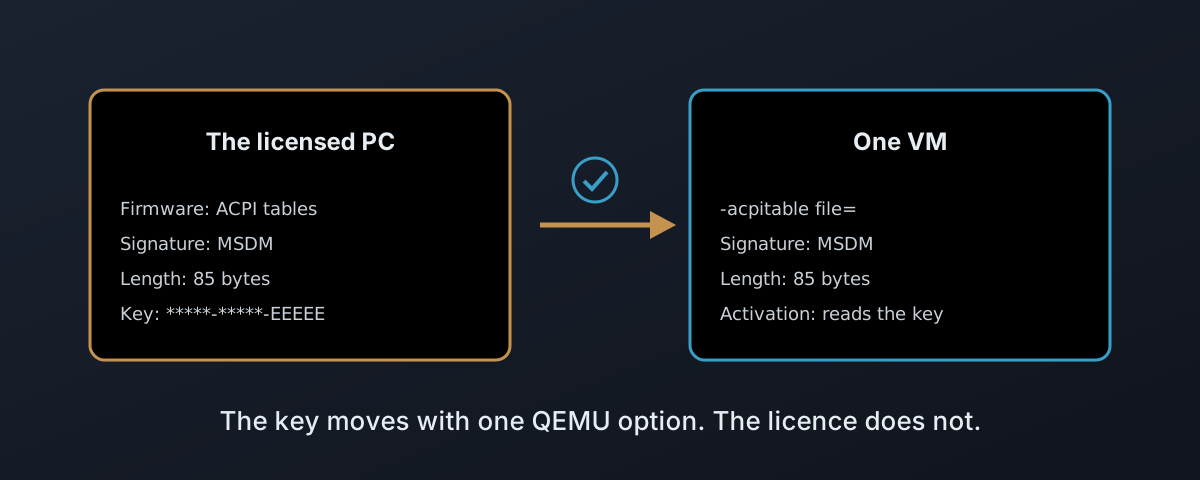
Plenty of people own a licence for the Fisher-Price OS (Windows) without ever having seen its product key. It came with the machine, and the key lives in that machine’s firmware, in a small ACPI table called MSDM.
Then the machine stops being where the work happens. Either its owner wants that licence in a VM they now rent from you, or the machine itself gets wiped, turned into a Proxmox host, and the copy of the OS it shipped with is wanted back as a VM on top.
Mechanically, it is one QEMU option. That is the problem. QEMU hands any table to a guest without checking it, the guest activates with whatever key it finds, and nothing anywhere in the stack asks whether the licence allows any of it. This post covers what the table is, how to get it into a VM without passing on a corrupt one, what Microsoft’s terms say about moving it, and why a volume licence never goes near it.
What the Table Is
Since OEM Activation 3.0, a PC maker no longer prints the key on a sticker on the bottom of the case where anybody with a phone camera can copy it, and the key goes into the machine’s firmware instead. Microsoft’s factory tooling “injects the product keys into the firmware”, and its validation step checks “that the MSDM table exists” and that its header and entries “comply with the correct formats”1. A machine set up that way is “activated by using the OA3 DPK in the firmware”2. MSDM is an ordinary ACPI table, and on Linux it reads straight off the firmware:
sudo cat /sys/firmware/acpi/tables/MSDM > msdm.bin
The laptop this was written on carries one. 85 bytes.
Microsoft’s published specification defines the standard 36-byte ACPI header with the signature MSDM, and then stops.
Everything after the header is a “Proprietary data structure that contains all the licensing data necessary to enable Windows activation”3.
| Bytes | Holds | Known from |
|---|---|---|
| 0 to 35 | the standard ACPI header: signature MSDM, length, checksum, OEM ID | Microsoft’s specification |
| 36 to 55 | 20 bytes of fields: version, data type, data length | real tables, not a published specification |
| 56 to 84 | the 29-character product key, five groups of five | real tables, not a published specification |
QEMU Will Pass Anything You Give It
QEMU’s -acpitable file= takes the “whole ACPI table from the specified files, including all ACPI headers (possible overridden by other options)”4, and the guest then sees an MSDM table exactly as a laptop’s firmware would present it.
That was checked with a deliberately fake key.
The bytes came out the other side identical, signature to last character.
QEMU refuses nothing.
This is what hw/acpi/core.c does with a broken upload5:
| What is wrong with the file | What QEMU does | What the guest sees |
|---|---|---|
| Header length disagrees with the file | warns, then overwrites the length with the real size | a valid header |
| Checksum does not sum to zero | recalculates it, on every table, every time | a valid checksum |
| Key truncated or mangled | nothing, the data past the header is not its business | a valid-looking table round a broken key |
The guest has no way of telling the difference, and neither do you until somebody opens a support ticket. The first anybody hears of it is a customer whose activation failed.
So if customers upload these, check them before QEMU ever sees them:
#!/usr/bin/env python3
"""Refuse anything that is not a well-formed MSDM table before QEMU sees it."""
import re, struct, sys

t = open(sys.argv[1], 'rb').read()
fail = lambda why: sys.exit(f"{sys.argv[1]}: {why}")

if len(t) < 56:                       fail(f"{len(t)} bytes, too short for an MSDM table")
sig, length = t[:4], struct.unpack_from('<I', t, 4)[0]
if sig != b'MSDM':                    fail(f"signature is {sig!r}, not MSDM")
if length != len(t):                  fail(f"header says {length} bytes, file is {len(t)}")
if sum(t) & 0xff:                     fail("checksum does not sum to zero")
ver, _, dtype, _, dlen = struct.unpack_from('<5I', t, 36)
if (ver, dtype) != (1, 1):            fail(f"version {ver}, data type {dtype}: expected 1 and 1")
if dlen != 29 or 56 + dlen != length: fail(f"data length {dlen}: expected 29")
key = t[56:].decode('ascii', 'replace')
if not re.fullmatch(r'([0-9A-Z]{5}-){4}[0-9A-Z]{5}', key): fail("data is not a 5x5 product key")
print(f"OK  OEM {t[10:16].decode(errors='replace').strip()!r}  key *****-*****-*****-*****-{key[-5:]}")
| Checks | Hold the file to | A failure means |
|---|---|---|
| Signature, length, checksum | Microsoft’s documented header | the file is broken |
| Version, data type, data length, key shape | the shape real tables carry | look at this one by hand, not “this is forged” |
It never prints the key, only the last group. A product key in a log file is a product key somebody else can use.
Run against a good table and three broken copies of it:
OK  OEM 'EXMPLE'  key *****-*****-*****-*****-EEEEE
bad-sum.bin: checksum does not sum to zero
bad-trunc.bin: header says 85 bytes, file is 70
bad-sig.bin: signature is b'SLIC', not MSDM
Where It Goes, and Who Can Put It There
A product key is a secret.
It does not belong anywhere www-data can read, and pmxcfs gives you exactly one place in /etc/pve where it cannot6:
| Where the table could live | Who can read it | On every node the VM can migrate to |
|---|---|---|
/etc/pve/priv | root only | yes |
anywhere else in /etc/pve | group-readable, the web interface’s www-data included | yes |
| a directory on one node | whatever you set | no |
At 85 bytes it is nowhere near the 1 MiB pmxcfs file limit7:
mkdir -p /etc/pve/priv/msdm
check-msdm.py upload.bin && cp upload.bin /etc/pve/priv/msdm/9000.bin
qm set 9000 --args "-acpitable file=/etc/pve/priv/msdm/9000.bin"
qm set --args replaces the whole line.
If the VM already carries SMBIOS or firmware options in args, write them all out together.
And because args is root only, this is a job for your provisioning, not something a customer can do from the web interface.
That is the right way round.
The customer supplies the file, your tooling checks it and attaches it.
The Table Moves a Key, Not a Right
This is where the feature needs a clear head. Moving the MSDM table into a VM moves the key. Not the licence.
Microsoft’s own terms say so, and the lines that matter fit in a table:
| Case | What Microsoft says | Source |
|---|---|---|
| OEM licence, moving it | transferable to another user “only with the licensed device” | OEM licence terms8 |
| OEM licence, how many installs | “only one instance of the software for use on one device, whether that device is physical or virtual” | OEM licence terms8 |
| OEM licence, in plain words | “locked” to the original PC “and cannot be transferred to any other PC” | Microsoft small business blog9 |
| The exception | the transfer provisions “do not apply” where the software was acquired in Germany or a list of other countries | OEM licence terms8 |
| Hosting it for customers | the Services Provider License Agreement is for “hosted applications to end customers” | SPLA10 |
| Desktop editions as hosted VMs | “VMs must be hosted by a Qualified Multitenant Hoster (QMTH)” | Microsoft Learn11 |
The table always comes from the customer’s own licensed machine, never from your hosts. The case that sits squarely inside the wording is the simplest one: the machine the licence was sold with, now running Proxmox, with that same copy of the Fisher-Price OS (Windows) moved into a single VM on it. That is still one instance on one device, and the OEM terms allow that “whether that device is physical or virtual”8. A second VM, or another machine, and it is not.
In that one case the customer’s machine and the hypervisor are the same box, so there is nothing to upload and nothing to copy.
The Proxmox kernel already exposes the firmware’s MSDM table under /sys/firmware/acpi/tables/, readable by root only, and QEMU on Proxmox runs as root, so it can take the table straight from there:
qm set 100 --args "-acpitable file=/sys/firmware/acpi/tables/MSDM"
Pointing at the live table rather than a copy has two consequences.
The path is read on whichever node the VM starts on, so this belongs on a standalone host and not in a cluster: migrate the VM and it either gets that node’s table, a different licence on a different machine, or does not start at all, because QEMU refuses a missing file with can't open file … No such file or directory.
And it is one line, which makes it one line to paste onto a second VM.
That second VM is the case the terms do not cover, so one VM gets it and no others.
So build the feature. The mechanism is sound, and there are customers entitled to use it; one who bought their licence in Germany may well be among them. But put the entitlement where it belongs: in your terms of service, the customer warrants they hold a licence that covers running it in your VM, and they do it before the upload button does anything. The validator proves the table is well-formed. Nothing proves it is theirs to use.
Volume Licences Never Go Near the Table
Can a customer with a volume licence use the same route? No. There is nothing for the table to carry.
MSDM belongs to the OEM channel and nothing else. Microsoft’s own planning guide says OEM activation “is available only for computers that are purchased through OEM channels and have the Windows operating system preinstalled”12. Volume licences activate through one of three other models, “Multiple Activation Keys (MAK)”, “KMS” and “Active Directory-based activation”12, and in every one of them the key is installed in the operating system. Nothing reads it from firmware.
| Method | Where the key lives | What the guest talks to | In a Proxmox VM |
|---|---|---|---|
| OEM, OA 3.0 | the MSDM table in firmware | Microsoft’s activation servers | the -acpitable route above |
| MAK | installed in the guest | Microsoft, once, counted against the key’s activations | works with internet access or a phone |
| KMS | a generic key (GVLK) in the guest | the customer’s KMS host on TCP 1688 | needs a route to it, and 25 clients or 5 servers before it activates anything |
| Active Directory | a GVLK in the guest | the customer’s domain controllers, at least every 180 days | needs the VM joined to their domain |
| AVMA | a generic key in the guest | the Hyper-V host’s own Datacenter licence | not available at all |
So for a volume customer there is nothing to build on the hypervisor. Their key goes in their image, and your part is the network path: port 1688 to their KMS host, or a VPN to their domain controllers. The MSDM slot stays empty, and it should.
Two things catch people out. The generic key on volume media activates nothing by itself, because “the GVLK doesn’t work unless a valid KMS host key can be found”12, so a VM built from the customer’s Enterprise ISO with no route home sits unactivated. And a desktop volume licence is not a licence on its own. Volume programmes “cover upgrades to Windows client operating systems only”, and “an existing retail or OEM operating system license is needed for each computer”12. The volume licence sits on top of a base licence, very often the same OEM one the last section was about, and whether it may run in your VM is still the hosting question in that table, not an activation one.
AVMA earns a line of its own, because it is the one that looks like the answer. It is Microsoft’s way for a host to activate its own server guests, binding “the VM activation to the licensed virtualization host”, and it requires “a Windows Server Datacenter edition with the Hyper-V server host role installed”13. Microsoft are plain about the rest: “AVMA doesn’t work with other server virtualization technologies”13. On Proxmox, server guests activate through your SPLA keys or through the customer’s own KMS.
Nothing in the Stack Checks the Paperwork
Every layer here does its job and nothing more. The firmware stores a key. QEMU copies the bytes and tidies up the header. The guest reads the key and activates with it. Not one of them can tell whether the machine underneath is the one the licence was sold with, and none of them was ever meant to.
So the check lands on whoever runs the hypervisor. A licence is an agreement between the person who bought it and Microsoft, and your platform is not a party to it, but it is the thing that moves the key, and that makes the question yours whether you asked for it or not.
Write the answer down before the upload button does anything. One machine, one VM, the customer’s own licence and their word that it covers this. It costs nowt, and it protects you as much as them. The software will move whatever key it is handed. Whether it should have is a question only a person can answer, so make sure one has.
Microsoft Learn, OA 3.0 on the factory floor — “injects the product keys into the firmware”;
/Validatechecks “that the MSDM table exists”. ↩︎Microsoft Learn, Validate an OEM Activation key — “is activated by using the OA3 DPK in the firmware”. ↩︎
Microsoft, Microsoft Software Licensing Tables (SLIC and MSDM) — table 2, offset 36: “Proprietary data structure that contains all the licensing data necessary to enable Windows activation.” ↩︎
QEMU, System Emulation, Invocation —
-smbiosfields per type;-acpitable“For file=, take whole ACPI table from the specified files, including all ACPI headers”;-boot“Currently Seabios for X86 system support it.” ↩︎QEMU v11.0.3,
hw/acpi/core.c— “ACPI table has wrong length” is awarn_report, then the length is overwritten and the checksum recalculated. ↩︎pve-cluster,
src/pmxcfs/pmxcfs.c— paths underprivare masked to0777700, everything else to0777750. ↩︎pve-cluster,
src/pmxcfs/memdb.h—#define MEMDB_MAX_FILE_SIZE (1024 * 1024) // 1 MiB. ↩︎Microsoft, Windows 11 OEM licence terms — “you may transfer the license to use the software directly to another user, only with the licensed device”; the transfer provisions “do not apply if you acquired the software in Germany” or the listed countries. Archived copy; the live page refuses automated requests. ↩︎ ↩︎ ↩︎ ↩︎
Microsoft, small business blog archive — “the OEM Windows license is ’locked’ to the original PC it comes with and cannot be transferred to any other PC.” ↩︎
Microsoft, Services Provider License Agreement — “for service providers and software development companies licensing eligible Microsoft products to provide software services and hosted applications to end customers.” ↩︎
Microsoft Learn, Windows subscription activation for VDA — “VMs must be hosted by a Qualified Multitenant Hoster (QMTH).” ↩︎
Microsoft Learn, Plan for volume activation — the three volume activation models; the KMS thresholds of “at least five computers” for servers and “at least 25 computers” for clients, on TCP port 1688; Active Directory-based activation needing the domain “at least once every 180 days”; “the GVLK doesn’t work unless a valid KMS host key can be found”; volume licences “cover upgrades to Windows client operating systems only”. ↩︎ ↩︎ ↩︎ ↩︎
Microsoft Learn, Automatic Virtual Machine Activation in Windows Server — “AVMA requires a Windows Server Datacenter edition with the Hyper-V server host role installed”; “AVMA doesn’t work with other server virtualization technologies.” ↩︎ ↩︎