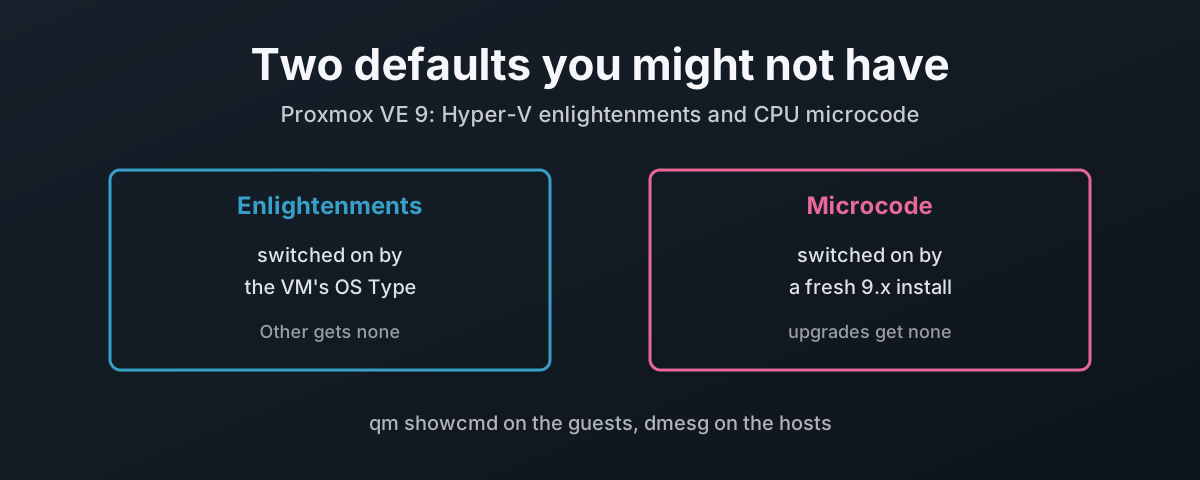
Two Settings You Made Once and Forgot
Proxmox VE 9 does two useful things for you without being asked. It gives a Fisher-Price OS (Windows) guest the paravirtual features it needs to run properly on KVM, and it loads current CPU microcode at boot.
Both are automatic. Both also depend on a decision you made once, possibly years ago, and have not looked at since.
The first depends on the OS Type you picked when the VM was created. Pick one of the Microsoft Windows entries and Proxmox adds the Hyper-V enlightenments at every start. Leave it at Other, which is easy to do when you are importing a disk or cloning something old, and the guest gets none of them. It boots, it runs, it is slower, and nothing tells you.
The second depends on how the host got to version 9. The 9.0 installer enables Debian’s firmware component and installs the microcode package for your CPU. A host upgraded from 8.x keeps the repositories it had, and on most of them that means no microcode package at all. On an AMD Zen 5 host running kernel 6.17.9 or newer, that is not a theoretical gap: guests using the EPYC CPU types stop starting.
The rest of this post takes each in turn: what it is, the exact rule Proxmox applies, how to switch it on where it is missing, and how to prove it took. The rules come from the qemu-server and pve-manager code on a live 9.2 host, not from memory, because two of them are not what most people would guess.
What an Enlightenment Actually Is
A guest operating system written for real hardware spends a lot of effort on things that are wasteful inside a VM. It programs timers through emulated chips, spins on locks held by a vCPU that is not even scheduled, and fires watchdogs when the host steals a few milliseconds.
Paravirtualisation fixes that by letting the guest know it is a guest and talk to the hypervisor directly. Linux does this with KVM’s own interfaces. The Fisher-Price OS (Windows) only speaks one paravirtual dialect, Hyper-V’s, so KVM implements that dialect and tells the guest it is running on a Hyper-V compatible hypervisor. Each piece of it is called an enlightenment.
None of it is on unless something asks. QEMU’s documentation is plain about it: “No Hyper-V enlightenments are enabled by default by either KVM or QEMU”1. On Proxmox, the thing that asks is qemu-server, and it only asks when the OS type is one of the Microsoft Windows entries.
You can see the difference on any host.
This is a Linux VM on my 9.2 node, ostype: l26, CPU type host:
# qm showcmd 101 --pretty | grep -- -cpu
  -cpu host,+kvm_pv_eoi,+kvm_pv_unhalt \
Two KVM flags for Linux’s own paravirtual interrupt and spinlock handling, and no hv_ flags at all.
Correct for Linux. Wrong for a guest that only understands Hyper-V.
What each enlightenment does, from QEMU’s descriptions1:
| Flag | What the guest gets | What it saves |
|---|---|---|
hv_time | Hyper-V reference clock and TSC page | exit-less timestamp reads |
hv_relaxed | told to disable watchdog timeouts | false timeouts when a vCPU is descheduled |
hv_vapic | VP assist page for the APIC | exit-less end-of-interrupt |
hv_spinlocks | paravirtual spinlocks, retry count before telling the host | spinning on a lock whose holder is not running |
hv_vpindex | its own virtual processor index | prerequisite for the next four |
hv_runtime | how long each vCPU actually ran | an honest view of stolen time |
hv_synic, hv_stimer | synthetic interrupt controller and timers | emulated timer hardware |
hv_ipi | send IPIs to many vCPUs in one hypercall | one APIC exit per target CPU |
hv_reset | reset through the hypervisor | |
hv_evmcs | enlightened VMCS, Intel only | faster nested virtualisation |
hv_tlbflush | paravirtual TLB shoot-down | waiting on vCPUs that are not running |
The OS Type Is the Switch
The rule lives in one function, get_hyperv_enlightenments in qemu-server’s CPUConfig.pm2.
The OS type is turned into a version number first: win11 becomes 11, win10 becomes 10, w2k8 and wvista both become 6, and the XP and 2003 types become 5.
Linux, Other and everything else become 0.
Then the gates run in order.
Reading a rule is one thing. Running it is better.
So I loaded the installed CPUConfig.pm on two 9.2 hosts, my AMD Ryzen node for the AMD rows and an Intel Celeron N5100 node for the Intel ones, and called that function with each combination:
| OS type | Firmware | Machine version | Host | Enlightenments added |
|---|---|---|---|---|
l26 or other | any | any | any | none |
wxp (5) | SeaBIOS | 11.0 | any | none |
w2k8 (Vista/2008) | SeaBIOS | 11.0 | any | spinlocks, vapic, time, reset, vpindex, runtime |
win7 | SeaBIOS | 11.0 | any | the six above plus relaxed, synic, stimer, ipi |
win7 | OVMF | 11.0 | any | none |
win10 | OVMF | 11.0+pve2 | Intel | the full ten, no evmcs |
win11 | OVMF | 11.0+pve1 | Intel | the full ten, no evmcs |
win11 | OVMF | 11.0+pve2 | Intel | the full ten plus evmcs |
win11 | SeaBIOS | 11.0+pve2 | AMD | the full ten, no evmcs |
Three things in there are worth knowing before you go near the GUI.
A UEFI guest with an OS type older than 8.x gets nothing. The code returns early when the firmware is OVMF and the version is below 8. A 7/2008r2 guest you moved to UEFI has quietly lost every enlightenment it had.
hv_evmcs wants three things at once.
An Intel host, the 11/2022/2025 OS type, and machine version 11.0+pve2 or later.
A 10/2016/2019 guest never gets it by default, however new its machine version.
The host vendor is read when the VM starts.
The check calls read_cpuinfo on the node doing the starting, not on wherever the VM was created.
In a mixed Intel and AMD cluster the same VM gets hv_evmcs on one node and not on the other, decided fresh at every cold start.
The older machine-version gates (2.3, 2.6, 2.12, 3.1) only matter for VMs pinned to machines from QEMU’s distant past. Everything you would create today clears them.
So pick the OS type that is closest to the guest, not the newest one in the list.
A 10/2016/2019 guest belongs on 10/2016/2019.
Proxmox’s documentation gives a second reason the type matters beyond these flags: it also sets things like whether the virtual RTC runs on local time3.
Why Your Older VMs Miss the July Fix
hv_evmcs by default is new.
It arrived in qemu-server 9.2.0 on 15th July 2026, to “mitigate guest freezes and 100% CPU usage seen on certain Intel CPUs with Windows guests that use Virtualization-Based Security (VBS)”4, and it is tied to machine version 11.0+pve2.
That tie is the catch, because Proxmox pins the machine version of every VM with a Microsoft Windows OS type at the moment it is created. The documentation gives the reason: “Windows is sensitive to changes in the virtual hardware - even between cold boots”3. It is a sound decision. It also means a VM created in June 2026 is sitting on 11.0+pve1 or older, and will stay there until somebody moves it.
Is anybody going to move it for you? No. The new default applies to new VMs and to VMs you deliberately bump, and to nowt else.
If you have Intel hosts running 11/2022/2025 guests with VBS turned on, and any of them have frozen at 100% CPU, this is the first thing to check:
qm config <vmid> | grep -E '^(ostype|machine):'
An ostype: win11 with a machine: line below pc-q35-11.0+pve2 needs moving up to get the fix.
Moving it changes the virtual hardware the guest sees, which is the very thing the pinning protects against.
So do it in a maintenance window, with a backup or snapshot taken first, through Hardware → Machine → Edit, tick Advanced, and pick the version.
If the line starts pc-i440fx- instead, the version is the smaller problem: that guest should not be on i440fx at all, for the reasons in Always Use Q35, Not i440fx, and Setting It, and Proving It Took below covers it.
Two related defaults landed in the same few months and are worth knowing about while you are in there.
qemu-server 9.1.12 turned off the cet-ibt and cet-ss flags for the 11/2022/2025 type, because with QEMU 11.0 and the 7.x kernels exposing them, guests with VBS failed to boot4.
And 9.1.14 exposed the CPU level property, which the documentation describes as “a known workaround for Hyper-V boot failures of Windows guests on recent Intel hosts when the CPU type is host or max”3.
The QEMU Side, Release by Release
qemu-server builds the command line. pve-qemu-kvm is the QEMU that runs it, and the July fix needs both.
Machine version 11.0+pve2 can only be chosen when a QEMU 11.0 binary is installed, because qemu-server refuses any machine version newer than the QEMU it finds on the host5.
The +pve2 is qemu-server’s own revision counter, not QEMU’s, so any 11.0 build satisfies it.
On the day 9.2.0 shipped, the pair looked like this:
| Package | Version | Released | What it brings |
|---|---|---|---|
qemu-server | 9.2.0 | 15th July 2026 | the hv-evmcs default and machine 11.0+pve2 |
pve-qemu-kvm | 11.0.2-1 | 1st July 2026 | QEMU 11.0.2, current that day |
pve-qemu-kvm, minimum | 11.0.0-1 | 5th May 2026 | the first QEMU 11.0 build |
Will apt make sure you have both? No.
qemu-server 9.2.0 declares nothing stronger than pve-qemu-kvm (>= 7.1~)6, so a node with QEMU held back on 10.x takes the new qemu-server without a murmur and then cannot offer the machine version the fix hangs on.
Check both, on every node. This is my 9.2 host today, well past both:
# pveversion -v | grep -E '^(qemu-server|pve-qemu-kvm):'
pve-qemu-kvm: 11.0.3-4
qemu-server: 9.2.11
Each QEMU release since Proxmox VE 9.0 shipped on 10.0.27 has carried fixes of its own for Fisher-Price OS (Windows) guests. These are the ones that touch the guest, from Proxmox’s package changelog8 and QEMU’s upstream changelogs9:
| QEMU | Proxmox build | What it fixed for the guest |
|---|---|---|
| 10.0 | 10.0.2-1, 17th June 2025 | the “PCI Label Id” bug, harmless in English but able to hang localised installs |
| 10.1 | 10.1.2-3, 17th November 2025 | a VNC clipboard regression that broke the mouse pointer |
| 10.1 | 10.1.2-5, 22nd December 2025 | backups of a VM with a TPM disk getting stuck, an io_uring fix |
| 11.0 | 11.0.0-1, 5th May 2026 | a regression in the FUSE export swtpm uses for TPM state |
| 11.0 | 11.0.2-1, 1st July 2026 | Hyper-V enlightenments recognised as CPUID flags, so a custom CPU model can carry them |
QEMU 11.0 also broke something: it began exposing cet-ibt and cet-ss, which is what stopped VBS guests booting and made qemu-server 9.1.12 switch them off, covered above.
The guest agent’s fixes in the same releases are a different matter. QEMU 10.1, 10.2 and 11.0 each fixed parts of the guest agent’s VSS and filesystem-freeze handling, including the “Access denied Event ID 8194” that 11.0 cured9.
None of that arrives with pve-qemu-kvm. The agent for that guest ships on the virtio-win driver ISO10, so it only changes when you update the agent inside the VM.
The Two Flags You Can Set by Hand
Proxmox will not let you add arbitrary CPU flags to a VM.
Hardware → Processors → Edit, tick Advanced, and Extra CPU Flags offers a fixed list, defined in CPUFlags.pm11.
Two entries on that list are enlightenments, and they are the two Proxmox does not set by default, or did not until July.
| Flag | Proxmox’s own description | When to set it |
|---|---|---|
hv-tlbflush | “Improve performance in overcommitted Windows guests. May lead to guest bluescreens on old CPUs.” | Optional. Try one VM first and watch it. |
hv-evmcs | “Improve performance for nested virtualization. Only supported on Intel CPUs.” | Nested Hyper-V, WSL2 or VBS inside the guest, on Intel. Already on for 11/2022/2025 at 11.0+pve2. |
Both were made opt-in in qemu-server 6.0-6 on 23rd July 2019, described in the changelog as “sometimes problematic”4.
hv-tlbflush has stayed that way for seven years. That is a fair hint about how much testing it wants before you roll it across a cluster.
QEMU’s own note on hv-evmcs is that it is Intel-only, and that “some virtualization features (e.g. Posted Interrupts) are disabled when hv-evmcs is enabled”1.
Turning it on by hand on a guest that is not doing nested virtualisation buys you nothing and costs you that.
Setting It, and Proving It Took
For a new VM: Create VM → OS, set Type to Microsoft Windows and Version to the closest match.
For an existing one: Options → OS Type → Edit, choose the version, OK.
Proxmox pins the machine version when you switch an existing VM to a Microsoft Windows type, the same as it does at creation4, so expect the machine: line in the config to change too.
And put it on q35. An enlightened guest has no business on pc-i440fx.
It is the chipset with no PCIe bus, and the reasons go well past passthrough; they are all in Always Use Q35, Not i440fx.
The wizard will not stop you, and for most of the Microsoft Windows types it will put you there.
Proxmox’s own documentation calls Intel 440FX “the default”3, and the GUI’s OS defaults override that for exactly one entry: 11/2022/2025 gets machine: 'q35' and bios: 'ovmf'12.
Every other Microsoft Windows type inherits the generic defaults, which set no machine at all.
So a 10/2016/2019 guest created by clicking Next lands on i440fx, enlightened and on the wrong chipset at the same time.
| OS type picked in the wizard | Machine it gets | Firmware it gets |
|---|---|---|
| 11/2022/2025 | q35 | OVMF |
| 10/2016/2019 and every older Microsoft Windows type | i440fx | SeaBIOS |
| Other, Linux | i440fx | SeaBIOS |
Change it on the System tab before you finish the wizard. For a VM that already exists, moving chipset is a bigger change to the virtual hardware than a machine version bump, so the same maintenance-window and backup rules apply, and the q35 post covers what the guest does about it.
Then stop it properly. The enlightenments are arguments on the QEMU command line, and that line is only built when the QEMU process starts. A restart from inside the guest keeps the same process, so it keeps the old flags. Shut down, wait for stopped, then Start.
Prove it from the host, because that is where the answer is:
qm showcmd <vmid> --pretty | grep -o "hv_[a-z_]*[=0-9a-fx]*" | sort -u
That prints what qemu-server will hand QEMU at the next start.
An 11/2022/2025 guest at 11.0+pve2 on Intel should list eleven: hv_evmcs, hv_ipi, hv_relaxed, hv_reset, hv_runtime, hv_spinlocks=0x1fff, hv_stimer, hv_synic, hv_time, hv_vapic and hv_vpindex.
The same guest on AMD lists ten. An empty result means the OS type is not a Microsoft Windows one, or it is a pre-8.x type on UEFI.
If a guest will not boot after the change, set the OS type back to Other for one start to rule the enlightenments in or out. It runs without them. It just runs worse.
Microcode: What It Fixes and Where It Comes From
The second default sits under the hypervisor, not above it.
CPU microcode is the vendor’s firmware for the processor itself. Updates fix security vulnerabilities and serious CPU bugs, and Proxmox’s admin guide makes the point that matters for anyone worried about the speed cost: “a patched microcode is usually still more performant than an unpatched microcode where the kernel itself has to do mitigations”13.
There are three places it can come from, and they are independent.
| Source | Applied | Ships it | On my 9.2 host today |
|---|---|---|---|
| Board BIOS/UEFI update | every power-on, persistent | the board or server vendor | whatever the last BIOS carried |
Debian non-free-firmware | early in boot, from the initramfs | Debian | intel-microcode 3.20251111.1~deb13u1, amd64-microcode 3.20250311.1 |
| Proxmox VE repository | early in boot, from the initramfs | Proxmox | amd64-microcode 3.20251202.1~bpo13+1, no Intel package |
The BIOS route is the one Proxmox calls recommended13. The early-loading route is the safety net for when the board vendor has stopped shipping BIOS updates, which on anything a few years old they usually have.
That third row surprised me.
Proxmox carries a newer amd64-microcode in its own repository than Debian has in trixie14, with the same pin priority, so apt picks the Proxmox one.
On an AMD host with the Proxmox repository configured, that is the version you will end up running, and as the next section shows, it is the version that matters.
Early loading is what this post sets up. The microcode goes into the initramfs and the kernel applies it at the very start of boot, before anything else is running.
Late loading applies it to a running system. The kernel’s own documentation has a section titled “Why is late loading dangerous?” and since 5.19 it has not been enabled by default15. Debian blocks it as well. This is the file on my host, verbatim:
# cat /etc/modprobe.d/amd64-microcode-blacklist.conf
# The microcode module attempts to apply a microcode update when
# it autoloads.  This is not always safe, so we block it by default.
blacklist microcode
Leave it alone. The host above has it in place and still shows a successful early update, so it is not in the way of anything.
Either route needs a reboot. There is no way round that.
And it is x86 only. Proxmox’s guide says outright that “There is no equivalent operating-system-level microcode package for arm64”13.
Why an Upgraded Host Has None
“Non-free” in non-free-firmware is about the licence, not about money or a Proxmox subscription.
Debian’s wiki explains it: the kernel side is free software, but the vendor’s update data is “opaque”, “and its contents are unknown to Debian”16.
That is why it lives in its own component, and why a Debian system does not get it unless the component is switched on.
Proxmox VE 9.0’s installer switches it on. The release notes say the ISO will “Install the microcode package matching the current platform”, and that “installations now have the non-free-firmware repository enabled”7. An upgrade does neither, because it keeps the repository lines you had on 8.x.
| Fresh 9.x install | Upgraded from 8.x | |
|---|---|---|
non-free-firmware | enabled by the installer | whatever 8.x had, often absent |
| Microcode package | installed for the detected CPU | none, until you add the component |
| What tells you | nothing needed | pve8to9, as a FAIL and a WARN, and only if you run it |
| Later updates | apt full-upgrade and a reboot | the same, once the package is on |
The checker does flag it, louder than I expected. This is it on my Intel node, which came up from 8.x:
# pve8to9 | grep -i -B1 -A2 microcode
PASS: Legacy file '/etc/sysctl.conf' is not present.
INFO: Checking if matching CPU microcode package is installed.
FAIL: unable to determine installed intel-microcode version.
WARN: The matching CPU microcode package 'intel-microcode' could not be found! Consider installing it to receive the latest security and bug fixes for your CPU.
	apt install intel-microcode
SKIP: NOTE: Expensive checks, like CT cgroupv2 compat, not performed without '--full' parameter
The FAIL is a side effect: the version lookup logs a failure for any package that is not installed, before the microcode check gets to its own warning17.
Either way, pve8to9 is a checker, not a gate. It does not run the upgrade and it cannot stop one, so the upgrade sails straight past it.
Does that matter in practice? Here are two cases where it does, and the first one is mine.
That Intel node is a Celeron N5100. Its sources list already carried non-free-firmware, so the package was one command away, and until 27th October 2026 nobody had run it.
The kernel noticed even if nobody else did:
# dmesg | grep -i microcode
[    0.000000] x86/CPU: Running old microcode
[    0.497219] microcode: Current revision: 0x0000001d
# lscpu | grep -i 'old microcode'
Vulnerability Old microcode:             Vulnerable
The kernel keeps “a table of released microcode”, and a CPU that booted on anything older “will say ‘Vulnerable’”18. How old is old? Intel’s release notes answer that for this chip19:
| Revision | Intel release | On this host |
|---|---|---|
0x1d | microcode-20210608 | what the board firmware loads today |
0x2400001f | microcode-20220207 | |
0x24000023 | microcode-20220510 | out six months before this board’s BIOS was built |
0x24000024 | microcode-20230214 | |
0x24000026 | microcode-20240312 | in Debian’s intel-microcode 3.20251111.1~deb13u1 |
The BIOS is version 5.19, dated 8th November 2022, and it still loads the first microcode Intel ever released for the part, with two newer ones already out when it was built. That is exactly the case the early-loading route exists for: four updates sitting in a package the host could already see. I installed it while writing this, and what that did is under Turning It On, because it shows a catch.
The second case is AMD’s. Zen 5 parts have a bug in the RDSEED instruction20.
Proxmox’s 9.1 release notes record what happens next: kernels from 6.17.9 onward, “without active microcode update will disable the RDSEED32 CPU-bit, and will fail to run Qemu guests with a CPU type that exposes that bit (for example EPYC or EPYC-v4)”21.
The fix is amd64-microcode 3.20251202.1~bpo13+1 or newer, which is the Proxmox repository’s version and not Debian’s.
There is a second trap inside that one.
On Zen 5 boards whose BIOS predates the fix for AMD’s Entrysign vulnerability, the kernel refuses the new microcode and logs No sha256 digest for patch ID, and Proxmox’s advice is a BIOS update21.
So on that hardware the OS route only works once the board vendor has done their part.
Turning It On
Record where you are first. On the host, as root:
pveversion
grep -m1 vendor_id /proc/cpuinfo                 # GenuineIntel or AuthenticAMD
grep microcode /proc/cpuinfo | uniq              # revision running now
dpkg -l intel-microcode amd64-microcode 2>/dev/null | grep ^ii
dmesg | grep -i microcode
lscpu > /root/lscpu-before.txt                   # vulnerabilities and mitigations
If dpkg already shows the matching package as ii, the host is done and you can skip to checking the result.
Enable the component.
Trixie’s apt prefers the deb822 .sources format, and Proxmox’s upgrade guide points at apt modernize-sources to convert the old one-line files, keeping the originals as .bak22.
Then add non-free-firmware to the Components: line of both the main and the security stanza in /etc/apt/sources.list.d/debian.sources.
This is the file on my host, which came from the installer:
Types: deb
URIs: http://deb.debian.org/debian/
Suites: trixie trixie-updates
Components: main contrib non-free-firmware
Signed-By: /usr/share/keyrings/debian-archive-keyring.gpg

Types: deb
URIs: http://security.debian.org/debian-security/
Suites: trixie-security
Components: main contrib non-free-firmware
Signed-By: /usr/share/keyrings/debian-archive-keyring.gpg
Both stanzas, because Debian ships microcode to stable through both routes.
The security archive carries intel-microcode 3.20250812.1~deb13u1 while the main archive has moved on to 3.20251111.1~deb13u123, and you want whichever is newest.
Install the one that matches the CPU.
apt update
apt install intel-microcode     # Intel
apt install amd64-microcode     # AMD
Only the one for your vendor. From then on new microcode arrives with ordinary apt full-upgrade runs, and each new version needs a reboot like the first.
Installing it rebuilds the initramfs, because that is where early microcode has to live.
The kernel reads it from an uncompressed archive at the front of the initrd, as kernel/x86/microcode/GenuineIntel.bin or AuthenticAMD.bin15, and the package’s install script fires the initramfs trigger to put it there24.
This is my Intel node taking the package while this post was being written:
# grep -A6 'Setting up intel-microcode' /var/log/apt/term.log
Setting up intel-microcode (3.20251111.1~deb13u1) ...
intel-microcode: microcode will be updated at next boot
Processing triggers for man-db (2.13.1-1) ...
Processing triggers for initramfs-tools (0.148.4) ...
update-initramfs: Generating /boot/initrd.img-7.0.14-24-pve
Running hook script 'zz-proxmox-boot'..
Re-executing '/etc/kernel/postinst.d/zz-proxmox-boot' in new private mount namespace..
zz-proxmox-boot is Proxmox’s hook. On a host whose EFI partitions are kept by proxmox-boot-tool it copies the new image across; this one has none to sync.
Now look at which image it generated. With no kernel named, update-initramfs -u rebuilds only the newest: “The default is the latest kernel version”25.
The same node, straight afterwards:
# uname -r
7.0.14-23-pve
# for f in /boot/initrd.img-*; do echo "$f: $(lsinitramfs $f 2>/dev/null | grep -c GenuineIntel.bin)"; done
/boot/initrd.img-7.0.12-1-pve: 0
/boot/initrd.img-7.0.14-11-pve: 0
/boot/initrd.img-7.0.14-12-pve: 0
/boot/initrd.img-7.0.14-19-pve: 0
/boot/initrd.img-7.0.14-23-pve: 0
/boot/initrd.img-7.0.14-24-pve: 1
/boot/initrd.img-7.0.14-8-pve: 0
One image in seven carries the microcode, and it is not the one the host is running.
| Next boot | Initramfs has the microcode | Revision the CPU ends up on |
|---|---|---|
| 7.0.14-24, the default entry | yes | the package’s 0x24000026 |
| 7.0.14-23, pinned or the fallback entry | no | the BIOS’s 0x1d |
| anything older | no | the BIOS’s 0x1d |
So rebuild every image after installing, and again after every microcode update, because each one fires the same newest-only rebuild. Then run the loop above again to prove it:
update-initramfs -u -k all
Reboot and check. This is my AMD 9.2 host after the Proxmox repository’s package went on:
# grep microcode /proc/cpuinfo | uniq
microcode	: 0xa500012
# dmesg | grep -i microcode
[    0.587928] microcode: Current revision: 0x0a500012
[    0.587930] microcode: Updated early from: 0x0a50000d
Updated early from is the line that proves it.
Proxmox’s own admin guide still shows the older wording, microcode updated early to revision13; the current kernel prints the two lines above26. Either form means it worked.
No such line is not a fault on its own. It only appears when the package holds something newer than both the CPU’s built-in revision and the one the BIOS loaded. A package covers a great many CPU models, and the guide is right that the date on it does not tell you when your model last got anything13.
Rolling It Across a Cluster
The repository change and the install can go on every node at once. Nothing changes until a reboot. The reboots go one node at a time, and each node is healthy before the next one goes down.
| Step | Command | Done when |
|---|---|---|
| Cluster healthy | pvecm status, ceph -s | quorate, HEALTH_OK |
| Empty the node | ha-manager crm-command node-maintenance enable <node>, migrate non-HA guests by hand | no guests left on it |
| Optional, Ceph | ceph osd set noout | flag shown in ceph -s |
| Reboot, verify | dmesg | grep -i microcode | new revision showing |
| Ceph recovered | ceph -s | all OSDs up and in, HEALTH_OK |
| Release | node-maintenance disable <node>, ceph osd unset noout | HA guests moved back |
HA maintenance mode records where each HA guest came from and moves it back once the node is out of maintenance27. Non-HA guests are your job.
On noout, opinion differs and both sides have a point.
Ceph marks a silent OSD down quickly but only marks it out after mon_osd_down_out_interval, which defaults to ten minutes28, and it is out that triggers the rebalance.
A normal reboot is back well inside that. A server with a long POST, a firmware prompt or a slow RAID controller might not be.
Setting noout stops a slow reboot turning into a rebalance. The price is remembering to unset it, and a forgotten noout hides a real failure later.
Do the whole cluster in one window.
Nodes running different microcode revisions is exactly the situation where a guest on CPU type host, which sees the physical CPU’s features directly, can live-migrate onto a node that reports a different set.
When a Microcode Update Goes Wrong
Rare, but it happens, and Proxmox’s guide covers it properly13.
| Situation | Do this | Why |
|---|---|---|
| You suspect the new microcode | boot once with dis_ucode_ldr | disables the loader for that boot only29 |
| Old revision fine, new one not | install the earlier version and hold it | a purge can leave an even older BIOS revision running |
| Some weeks later | apt-mark unhold, then full-upgrade | a fix elsewhere can cure it at the same microcode version |
For the one-off boot: GRUB menu (hold Shift if it is hidden), E on the Proxmox entry, append dis_ucode_ldr to the line starting linux, then Ctrl+X.
A host on systemd-boot rather than GRUB is covered in the admin guide’s bootloader chapter.
The downgrade, on Intel:
apt list -a intel-microcode               # what versions exist
apt install intel-microcode=<version>     # pick the earlier one
apt-mark hold intel-microcode             # stop the next upgrade undoing it
reboot
Swap in amd64-microcode on AMD. Downgrade, never purge.
A Default Is a Promise to Whoever Took the Expected Path
Neither of these is a bug. Proxmox did the sensible thing both times: switch the feature on where it is safe, leave it off where it might not be, and pin the virtual hardware the guest is fussy about. The installer was fixed, the upgrade checker flags it, the changelog says what changed and when. Proxmox has done its part.
But a default is a promise made to the person who did things the way the vendor expected. Fresh install, correct OS type, VM created after July. Anybody whose estate has history, and that is everybody running anything real, is partly outside that promise, and the gap does not announce itself. It shows up as a guest that is a bit slow, a VBS freeze that nobody links to a machine version, or a Zen 5 node where the EPYC guests will not start after a kernel update.
Release notes describe what a new install gets.
They say nowt about what your hosts are actually running, and those are different questions.
The only way to answer the second one is to go and look: qm showcmd on the guests, dmesg on the hosts, the machine line in the config.
None of it takes more than a minute per box.
That minute is the job. Proxmox gives you the tools to check, and as such the gap between what you assumed and what is running is yours to close, not theirs.
QEMU documentation — Hyper-V Enlightenments — “No Hyper-V enlightenments are enabled by default by either KVM or QEMU”; per-flag descriptions;
hv-evmcs“The feature is Intel-only” and “some virtualization features (e.g. Posted Interrupts) are disabled when hv-evmcs is enabled”. ↩︎ ↩︎ ↩︎Proxmox qemu-server —
CPUConfig.pm—get_hyperv_enlightenments: the OVMF and version gates, machine-version guards, and theGenuineIntelcheck forhv_evmcs. Run here from qemu-server 9.2.11. ↩︎Proxmox VE admin guide — Qemu/KVM Virtual Machines — “You can choose between the default Intel 440FX or the Q35 chipset” and “switch from the default SeaBIOS to OVMF”; “For Windows guests, the machine version is pinned during creation, because Windows is sensitive to changes in the virtual hardware - even between cold boots”; the
levelproperty and thecet-ibt/cet-ssdefaults for those guests. ↩︎ ↩︎ ↩︎ ↩︎Proxmox qemu-server — Debian changelog — 9.2.0 (15th July 2026) enables
hv-evmcsfor 11/2022/2025 guests on Intel from machine 11.0+pve2; 9.1.14 exposeslevel; 9.1.12 disablescet-ibtandcet-ss; pinning on switching to a Microsoft Windows OS type (January 2025); 6.0-6 (23rd July 2019) “Make sometimes problematic ‘hv-tlbflush’ and ‘hv-evmcs’ CPU flags optional”. ↩︎ ↩︎ ↩︎ ↩︎Proxmox qemu-server —
Machine.pm—can_run_pve_machine_versionreturns false when the machine’s QEMU major.minor is newer than the installed binary; the+pveNrevisions are listed in the same file. ↩︎Proxmox qemu-server 9.2.0 —
debian/control— at the “bump version to 9.2.0” commit of 15th July 2026, the runtime dependency ispve-qemu-kvm (>= 7.1~). ↩︎Proxmox VE Roadmap — 9.0, Installation ISO — “Install the microcode package matching the current platform… This also means that installations now have the non-free-firmware repository enabled.”; the same release lists “QEMU 10.0.2” ↩︎ ↩︎
Proxmox pve-qemu — Debian changelog — 10.0.2-1 (17th June 2025) “update QEMU and downstream patches for 10.0.2 release”, which carries the upstream 10.0 fix below; 10.1.2-3 “a regression with VNC clipboard breaking mouse pointer in Windows guests”; 10.1.2-5 the io_uring fix for “backup with TPM disk potentially getting stuck”; 11.0.0-1 “regression when using fuse export for swtpm”; 11.0.2-1 “recognize Hyper-V enlightenments in the list of supported CPUID flags”. ↩︎
QEMU upstream changelogs, 10.0 — “Workaround ‘PCI Label Id’ Windows bug, which is normally harmless but on localized versions can lead to guest hangs”; 10.1, 10.2 and 11.0 for the guest agent’s VSS and freeze fixes, including “Fix guest-fs-freeze cause “Access denied Event ID 8194” in Event Viewer”. ↩︎ ↩︎
Proxmox VE wiki — Qemu-guest-agent — for that guest, “First you have to download the virtio-win driver iso”. ↩︎
Proxmox qemu-server —
CPUFlags.pm— the per-VM flag list, with thehv-tlbflushandhv-evmcsdescriptions quoted above. ↩︎Proxmox pve-manager —
OSDefaults.js— thewin11entry setsmachine: 'q35'andbios: 'ovmf'; the other Microsoft Windows entries inheritgeneric, which sets no machine. ↩︎Proxmox VE admin guide — CPU Microcode Updates — early OS updates, the BIOS/UEFI route as recommended, arm64 having no OS package, the
dis_ucode_ldrprocedure, and downgrade rather than purge. ↩︎ ↩︎ ↩︎ ↩︎ ↩︎ ↩︎Proxmox VE
pve-no-subscriptionrepository for trixie — carriesamd64-microcode3.20251202.1~bpo13+1and nointel-microcode, read on 27th October 2026. ↩︎Linux kernel documentation — The Linux Microcode Loader — “Since kernel 5.19, late loading is not enabled by default”, and the section “Why is late loading dangerous?”. ↩︎ ↩︎
Debian Wiki — Microcode — the CPU-vendor-provided “opaque” update data “is non-free, and its contents are unknown to Debian”. ↩︎
Proxmox pve-manager —
pve8to9.pm—check_cpu_microcode_packagelogs the warning; the$get_pkglookup it calls first logs “unable to determine installed $pkg version.” as a failure for any package that is not installed. ↩︎Linux kernel documentation — Old Microcode — “The kernel keeps a table of released microcode. Systems that had microcode older than this at boot will say ‘Vulnerable’.” (inner quotes changed from double to single) ↩︎
Intel — Linux Processor Microcode Data Files, release notes — the JSL rows for 06-9c-00/01, “Celeron N4500/N4505/N5100/N5105”, across releases 20210608 to 20240312;
0x24000026read from the header of06-9c-00in Debian’s package. ↩︎AMD security bulletin AMD-SB-7055 — the RDSEED issue on Zen 5 processors. ↩︎
Proxmox VE Roadmap — 9.1 known issues, AMD Zen5 CPU issue with RDSEED — the guest start failure, the fixed package version, and the
No sha256 digestmessage on boards without the Entrysign BIOS fix. ↩︎ ↩︎Proxmox VE wiki — Upgrade from 8 to 9 —
apt modernize-sourcesconverts to deb822 and keeps the old files with a.baksuffix. ↩︎Debian packages —
intel-microcodein trixie — the stable and security versions, cross-checked withapt-cache policyon the host. ↩︎Debian sources —
intel-microcode.postinst—dpkg-trigger --no-await update-initramfs, then “microcode will be updated at next boot”;amd64-microcodedoes the same. ↩︎Debian manual —
update-initramfs(8)— for-k, “The default is the latest kernel version”, and “all” operates “on all installed kernel versions that already have an initramfs (with -d or -u)”. ↩︎Linux kernel source —
arch/x86/kernel/cpu/microcode/core.c— prints “Current revision: 0x%08x” and “Updated early from: 0x%08x”. ↩︎Proxmox VE admin guide — High Availability, maintenance mode — HA services are moved away, and moved back “automatically once the maintenance mode is disabled and the node is back online”. ↩︎
Ceph documentation — Configuring Monitor/OSD Interaction —
mon_osd_down_out_interval, “The number of seconds Ceph waits before marking a Ceph OSD Daemon down and out”, default 10 minutes. ↩︎Linux kernel documentation — kernel parameters —
dis_ucode_ldr: “Disable the microcode loader.” ↩︎