Why Run Your Own CA
Look at what is on a home network now. A NAS, Proxmox, Home Assistant, a printer, a router’s admin page. Every one of them serves HTTPS with a self-signed certificate. Every browser that visits throws a warning. People click through it. Then they click through the next one, and the one after that, until clicking through a certificate warning is just what you do. That is the habit an attacker needs.
A public CA does not fix it. Let’s Encrypt will not issue for localhost “because nobody uniquely owns it”1, and the same goes for any name that only exists inside the house. Even for a real domain, every certificate it issues goes into the public Certificate Transparency logs2. Get one for nas.yourname.uk and the name of your NAS is now public record.
Your own CA fixes both. It signs whatever names you use inside. Nothing is published anywhere. Once each device trusts its root, the warnings stop, and a warning becomes something that means something again.
step-ca is Smallstep’s open source CA, and it runs in one container. Everything here was run on step-ca 0.30.2 in Podman, with Caddy 2.11.7 and nginx 1.30.5 as its clients.
| Use case | What step-ca gives it | Section |
|---|---|---|
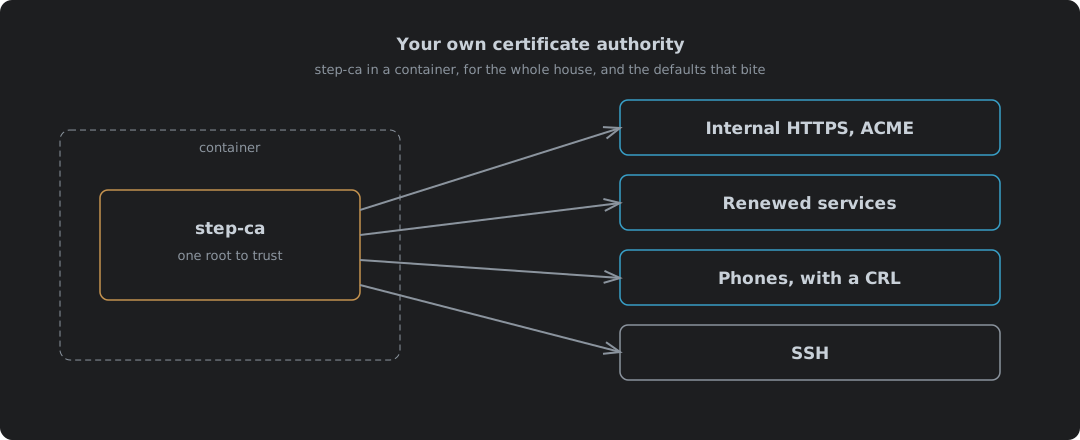
| Every device trusting your certificates | One root to install, once | Trusting The Root |
| Internal HTTPS for anything that speaks ACME | The same protocol as Let’s Encrypt, for internal names | Internal HTTPS With ACME |
| Services with no ACME client | Certificates that renew themselves on a timer | Services That Cannot Do ACME |
| Phones and other client certificates | Keys a device holds to get in, and a way to revoke them | Its own post: the defaults fight it |
| SSH logins | Certificates instead of authorized_keys | Its own post: a different setup |
Two of those have their own posts, because each is a setup of its own. Client Certificates From step-ca covers phones and mTLS, where five defaults have to change. SSH Logins Signed By step-ca covers SSH, which uses different keys and different files on every machine.
Starting It
The image initialises itself on first run from a few environment variables3. Two of them decide things that cannot be changed later without starting again, so set them on day one.
| Variable | Does |
|---|---|
DOCKER_STEPCA_INIT_NAME | The issuer name on every certificate |
DOCKER_STEPCA_INIT_DNS_NAMES | The names the CA answers on |
DOCKER_STEPCA_INIT_ACME=true | Adds an ACME provisioner for internal HTTPS |
DOCKER_STEPCA_INIT_SSH=true | Makes SSH host and user CA keys as well |
The ACME and SSH switches are read by the image’s entrypoint4. Turn them on now even if you only want one of them today. Adding SSH later means building a new CA.
podman run -d --name step-ca \
  -v step:/home/step \
  -p 9000:9000 \
  -e DOCKER_STEPCA_INIT_NAME="Home CA" \
  -e DOCKER_STEPCA_INIT_DNS_NAMES="localhost,ca.home.example" \
  -e DOCKER_STEPCA_INIT_ACME=true \
  -e DOCKER_STEPCA_INIT_SSH=true \
  docker.io/smallstep/step-ca:0.30.2
It builds a root, an intermediate signed by that root, the SSH keys, and three provisioners, then serves on port 9000:
X.509 Root Fingerprint: cd2f8d4c60af32a0a534781cd63b4e2a9ce362e2c1ae5983b56a370bfa2c2489
SSH Host CA Key: ecdsa-sha2-nistp256 AAAAE2VjZHNhLXNoYTItbmlzdHAyNTYAAAAIbmlzdHAy...
SSH User CA Key: ecdsa-sha2-nistp256 AAAAE2VjZHNhLXNoYTItbmlzdHAyNTYAAAAIbmlzdHAy...
Serving HTTPS on :9000 ...
| Provisioner | Type | Signs |
|---|---|---|
admin | JWK | Anything you ask for with its password |
acme | ACME | Certificates for clients that prove they own the name |
sshpop | SSHPOP | SSH host certificate renewals |
The provisioner is the CA’s idea of “who is asking”. Each one has its own rules, and most of what follows is setting those rules.
Pin the version. latest was 0.30.2 on the day this was written, and a CA is the last thing you want changing under you on a pull.
Two Passwords, Not One
Smallstep’s Docker guide says one generated password covers both “the encrypted CA keys and the default CA provisioner”, kept in secrets/password3. On this image that is not what happens. Try to issue a certificate with that password and the provisioner refuses it:
failed to decrypt JWE: invalid password
The image’s own entrypoint explains it. It generates two random passwords, one for the CA keys and one for the provisioner. The provisioner’s is printed to the log once, then shredded4:
echo "👉 Your CA administrative password is: $(< $STEPPATH/provisioner_password )"
...
shred -u $STEPPATH/provisioner_password
| Password | Unlocks | Where it ends up |
|---|---|---|
secrets/password | The root and intermediate keys | In the volume, used every time the CA starts |
| Provisioner password | The admin provisioner, which signs every certificate you ask for | The first run’s log, and nowhere else |
So read the log on the first start and put that second password somewhere safe. Lose it and you cannot issue another certificate without editing the provisioner out by hand. Set DOCKER_STEPCA_INIT_PASSWORD before the first start if you would rather choose one yourself; the entrypoint then uses it for both4.
Trusting The Root
Nothing trusts your CA until you tell it to. A Debian box asking Caddy for a page signed by step-ca:
$ curl https://nas.home.example/
curl: (60) SSL certificate problem: unable to get local issuer certificate
Copy the root in, and the same request goes through:
cp root_ca.crt /usr/local/share/ca-certificates/home-ca.crt
update-ca-certificates
$ curl https://nas.home.example/
internal service, certificate from step-ca
That is the whole job. Once per device. step certificate install does the same for whatever system it runs on5. Only the root goes into a trust store. The intermediate travels with each certificate, and a phone that will present a client certificate needs it too, which is covered in the client certificates post.
Treat the root like the front door key it now is. Anything holding the root’s private key can mint a certificate for any name, and every device that trusts it will believe it.
Internal HTTPS With ACME
ACME is the protocol Let’s Encrypt uses, and step-ca speaks it for internal names6. Anything with an ACME client gets internal certificates the same way it gets public ones, renewals included. For Caddy it is two global lines:
{
	acme_ca https://ca.home.example:9000/acme/acme/directory
	acme_ca_root /etc/caddy/root_ca.crt
}

nas.home.example {
	reverse_proxy 192.0.2.30:5000
}
What Caddy logged on first start:
"msg":"trying to solve challenge","identifier":"nas.home.example","challenge_type":"tls-alpn-01"
"msg":"certificate obtained successfully","identifier":"nas.home.example"
| Check | Result |
|---|---|
| Challenge | tls-alpn-01, answered by Caddy on port 443 |
| Issuer | Home CA Intermediate CA |
| Lifetime | 24 hours, from 17:31 to 17:32 the next day |
| Renewal | Caddy’s own job, nothing to set up |
A 24-hour certificate sounds alarming. It is not. An ACME client renews well before expiry, every day, with no one involved. A stolen key is worth a day. That is the default step-ca was built around, and here it is exactly right.
The challenge does need the CA to reach the name it is signing for. step-ca has to resolve nas.home.example and connect to it on port 443 for tls-alpn-01, or port 80 for http-01. Internal DNS that both sides use is the thing to get right first.
Services That Cannot Do ACME
Plenty of kit has no ACME client: a hypervisor’s web UI, a printer, an old appliance. For those, issue the certificate with the admin provisioner and renew it with step ca renew:
step ca certificate proxmox.home.example pve.crt pve.key
step ca renew --force pve.crt pve.key
| Serial | Valid until | |
|---|---|---|
| Issued | 241943140971… | 2026-10-10 17:33:03 |
After step ca renew | 206409156462… | 2026-10-10 17:33:06 |
New serial, fresh 24 hours, and no password asked for. The current certificate proves who is asking, which is the point: renewal needs no secret stored on the box beyond the key it already has. It does need the certificate to still be valid, so a renewal that misses its window means issuing again by hand.
Left running, it renews by itself. --daemon renews at two-thirds of the lifetime by default, and --exec runs a command after each renewal, which is where the reload goes7:
step ca renew --daemon --exec "systemctl reload nginx" pve.crt pve.key
Run that from a systemd unit and the box looks after itself. Forget it, and in 24 hours the service throws the same warning you set out to get rid of.
The CA Is The Easy Part
Getting step-ca running took one command. Getting a Debian box to trust it took two. Caddy needed two lines and asked for nothing else again. That is the part people put off for years, living with a browser warning on every internal page, and it is the cheapest job on this list.
What costs is everything a certificate touches after it is issued: the root on every device, the renewals nobody watches, the one service that cannot do ACME and has to be remembered. None of it is hard. All of it is the sort of job that only gets done properly when somebody owns it.
A home network is a small estate. It deserves the same thing a proper one gets: one root, held carefully, trusted deliberately, and a warning that means something when it appears. As such the CA is not the clever bit. The clever bit is never clicking through again.
Let’s Encrypt — Certificates for localhost — cannot issue for “localhost” “because nobody uniquely owns it, and it’s not rooted in a top level domain”. ↩︎
Let’s Encrypt — Certificate Transparency logs — “Let’s Encrypt submits all certificates we issue to CT logs.” ↩︎
Smallstep — Run a private CA in Docker — the
DOCKER_STEPCA_INIT_*variables; says the generated password is for “the encrypted CA keys and the default CA provisioner”. ↩︎ ↩︎smallstep/certificates — docker/entrypoint.sh — generates separate
passwordandprovisioner_passwordfiles, prints the provisioner password once and shreds it; one supplied password is written to both. ↩︎ ↩︎ ↩︎Smallstep — step certificate install — installs a root certificate into the system trust store. ↩︎
Smallstep — ACME basics — step-ca’s ACME provisioner and the challenge types it supports. ↩︎
Smallstep — step ca renew — with
--daemon, “By default, it will renew the certificate before 2/3 of the validity period of the certificate has elapsed”;--execprovides “certificate reloads on your services”. ↩︎